

Canon PIXMA E514 Printer Driver Download for MAC OS X 14-13-12-11
E510 series CUPS Printer Driver- E510 series Scanner Driver- ICA Driver for MACINTOSH

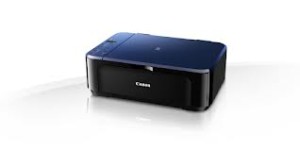
Canon PIXMA E514 Driver Download for MAC
Operating Systems: macOS Tahoe 26, macOS Sequoia 15, MacOS Sonoma 14, macOS Ventura 13, macOS Monterey 12, macOS Big Sur 11
| Driver Name | Version | Release date | File Size | Operating systems | Download Link |
E510 series CUPS Printer Driver | 16.91.0.0 | 10-Mar-2026 | 14.89 MB | macOS Tahoe 26, 15 26, 15, 14, 13, 12, 11 | Download |
| E510 series Scanner Driver | 19.3.0c | 16-Sep-2025 | 25.67 MB | macOS 26, 15, 14, 13, 12 | Download |
| ICA Driver | 5.0.0 | 26 Sep, 2023 | 3.05 MB | macOS 14, 13 | Download |
Details
E510 series CUPS Printer Driver:
This file is a printer driver for Canon IJ printers.
E510 series Scanner Driver:
his file is a TWAIN-compliant scanner driver for Canon color image scanner.
You can install the following items of the software:
ScanGear: The TWAIN-compliant scanner driver for Canon color image scanner.
IJ Scan Utility: The software that allows you to easily scan photos, documents, etc.
ICA Driver: This driver is a scanner driver for Canon color image scanners.
Download / Installation Procedures
- Download the file. For the location where the file is saved, check the computer settings.
- Double-click the downloaded file and mount it on the Disk Image.
- Double-click the mounted Disk Image.
- Double-click the packaged file in the folder. Installation starts automatically.