

Canon PIXMA TS6300 Series All-in-One printer Download Driver for MAC OS (14, 13, 12, 11, 10.14, 10.13, v10.12.1, OS X v10.11, OS X v10.10, OS X v10.9, OS X v10.8.5, OS X v10.7)
MG6300 series CUPS Printer Driver and TS6300 series Setup package for MAC

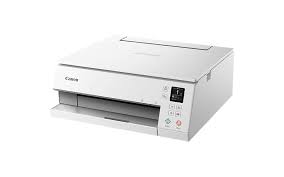
Canon PIXMA TS6300 Printer Driver & Software for MAC
Operating Systems: macOS Sonoma 14, Ventura 13, Monterey 12, macOS Big Sur 11, macOS Catalina 10.15, macOS Mojave 10.14, macOS High Sierra 10.13, macOS Sierra v10.12.1 or later, OS X El Capitan v10.11, OS X 10.10 (Yosemite), OS X 10.9 (Mavericks), OS X 10.8 (Mountain Lion), Mac OS X 10.7 (Lion)
| Driver Name | Version | Release date | File Size | Operating systems | Download Link |
| MG6300 series CUPS Printer Driver | 16.20.0.0 | 9 Sep, 2021 | 15.8 MB | MacOS 10.14, 10.13, v10.12.1, v10.11, v10.10, v10.9, v10.8.5, v10.7 | Download |
| TS6300 series Setup package | 1.1 | 08-Apr-2024 | 8.16 MB | macOS 14, 13, 12, 11, 10.15, 10.14, 10.13, v10.12.1, OS X v10.11 | Download |
MG6300 series CUPS Printer Driver: This file is a printer driver for Canon IJ printers.
Setup
Download / Installation Procedures
1. Download the file. For the location where the file is saved, check the computer settings.
2. Double-click the downloaded file and mount it on the Disk Image.
3. Double-click the mounted Disk Image.
4. Double-click the packaged file in the folder. Installation starts automatically.
Pixma TS6300 series Setup package: This file will download and install the software needed to utilize your prodcut. Once complete, you will be able to install additional software to enhance the product’s functionality.
je ne sais pas comment faire pour passer de copie à impression sur mon imprimante pixmats6300
Ik wil de driver voor mijn nieuwe printer TS6300 installeren op mijn Mac OS maar dat lukt niet. Wat moet ik doen?
This product is compatible with the following operating systems:
Mac OS 10.14, 10.13, v10.12.1, OS X v10.11, OS X v10.10, OS X v10.9, OS X v10.8.5, OS X v10.7