

Download Canon Pixma TS5353 All-inOne Inkjet Printer Driver for Windows 11/10/8.1/7 (32bit-64bit) and Driver Linux
The Pixma TS5300 series Driver setup package and MP Drivers for Microsoft Windows and Driver for Linux

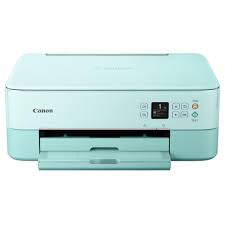
This inkjet printer is ideal for your home. Canon PIXMA T5353 delivers both photos and text in color and deep black tones. Canon has designed this printer to have a maximum print resolution of 4800 DPI, even at a print speed of 13 pages per minute. Canon PIXMA TS5353 printer can also print, copy and scan documents.
Canon PIXMA TS5353 Printer Driver for Windows
Compatible Systems: Windows 11, Windows 10 (32bit), 10 (64bit), Windows 8.1 (32bit), Windows 8.1 (64bit),Windows 7 (32bit), 7 (64bit)
| Driver Name | Version | Release date | File Size | Download Link |
| TS5300 series Driver setup package | 1.4 | 06-Nov-2024 | 19.85 MB | Download |
This file will download and install the driver needed to set up and utilize your product. Once complete, you will be able to install software to enhance the product’s functionality.
Download
- Download the file. For the location where the file is saved, check the computer settings.
- Double-click the downloaded .exe file. It will be decompressed and the Setup screen will be displayed. Follow the instructions to install the software and perform the necessary settings.
Canon PIXMA TS5353 Printer Driver for Linux
Operating Systems: Linux 64bit – Linux 32bit
| Driver Name | Version | Release date | File Size | Operating systems | Download Link |
| IJ Printer Driver | 5.90 | 10-Sep-2019 | 1.14 MB | Fedora 30 (32bit/64bit) Ubuntu 19.04 (64bit) | Download |
IJ Printer Driver: This software is a source file for the Linux printer driver.