

Canon Pixma G6070 Printer Software for MACOS 15, 14, 13, 12, 11, 10.15, 10.14, 10.13, 10.12, 10.11, 10.10
Easy-PhotoPrint Editor for Macintosh

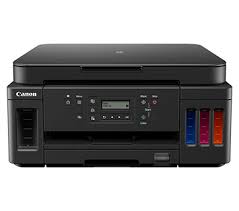
Canon PIXMA G6070 Printer Software for MAC
Operating Systems: macOS 15, macOS 14, macOS 13, macOS 12, macOS 11, macOS 10.15, macOS 10.14, macOS 10.13, macOS v10.12, OS X v10.11, OS X v10.10
| Driver Name | Version | Release date | File Size | Download Link |
| G6000 series Software Package | 1.4 | 19-Feb-2025 | 7.65 MB | Download |
This file will download and install all the software you need to utilise the full functionality of your product.
Download / Installation Procedures
- Download the file. For the location where the file is saved, check the computer settings.
- Double-click the downloaded file and mount it on the Disk Image.
- Double-click the mounted Disk Image.
- Double-click the “Setup” file to launch the setup screen. By following the instructions on the screen, install the software and do the connection settings for your product.
Canon Pixma MG5655 Full Driver for Windows
Version: 1.0
File name: win-mg5600-1_0-mcd.exe
Relase Date: 22 July, 2015
Compatibility Systems: Windows 10/10 x64/ Windows 8.1/8.1 x64/ Windows 7/7 x64
Download
Size: 52.22 MB
why are your downloads so slow? i am using fiber broadband and it’s downloading at 760kbs!!!! whats going on? sort it out canon! jesus h christ!
click on download button so many time but driver did’t download what the problem in downloading tell me otherwice fixed it
to : canon team