
Canon PIXMA TS6320 Printer Download Driver for Mac OS 14, 13, 12, 11, 10.15, 10.15, 10.14, v10.13, v10.12.1, v10.11, v10.10, v10.9, v10.8.5, v10.7
MG6300 series CUPS Printer Driver-TS6300 series Setup package for MAC
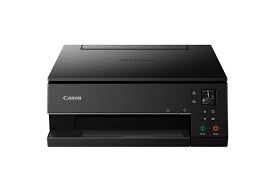
Canon PIXMA TS6320 Printer Driver & Software for Windows
Operating Systems: macOS Sonoma 14, Ventura 13, Monterey 12, macOS Big Sur 11, macOS Catalina 10.15, macOS Mojave 10.14, macOS High Sierra 10.13, macOS Sierra v10.12.1 or later, OS X El Capitan v10.11, OS X 10.10 (Yosemite), OS X 10.9 (Mavericks), OS X 10.8 (Mountain Lion), Mac OS X 10.7 (Lion)
| Driver Name | Version | Release date | File Size | Operating systems | Download Link |
| MG6300 series CUPS Printer Driver | 16.20.0.0 | 9 Sep, 2021 | 15.8 MB | MacOS 10.14, 10.13, v10.12.1, v10.11, v10.10, v10.9, v10.8.5, v10.7 | Download |
| TS6300 series Setup package | 1.1 | 08-Apr-2024 | 8.16 MB | macOS 14, 13, 12, 11, 10.15, 10.14, 10.13, v10.12.1, OS X v10.11 | Download |
Canon Pixma TS6320 Driver Description for MAC
MG6300 series CUPS Printer Driver: This file is a printer driver for Canon IJ printers.
Setup
Download / Installation Procedures
1. Download the file. For the location where the file is saved, check the computer settings.
2. Double-click the downloaded file and mount it on the Disk Image.
3. Double-click the mounted Disk Image.
4. Double-click the packaged file in the folder. Installation starts automatically.
Pixma TS6300 series Setup package: This file will download and install the software needed to utilize your prodcut. Once complete, you will be able to install additional software to enhance the product’s functionality.