Canon PIXMA G6010 Driver for Windows

Canon PIXMA G6010 Driver Download for Windows 11-10-8.1-7 32bit-64bit

G6000 series Full Driver & Software Package-G6000 series MP Drivers for Microsoft Windows
Canon PIXMA G6010 Drivers
Canon PIXMA G6010 Printers with Refill Built-In Ink Tanks

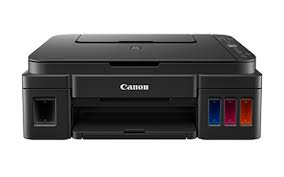
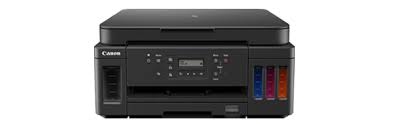
The Canon PIXMA G6010 Wireless All-in-One Printer is for those who want to print, copy and scan. It also boasts a high page yield of up to 8,300 pages of black text and up to 7,700 pages of vibrant color. It provides high page yields with sharp black text and vivid color images.

Canon PIXMA G6010 Driver for Windows

Compatibility Systems: Windows 11, Windows 10 (32bit), 10 (64bit), Windows 8.1 (32bit), 8.1 (64bit), Windows 8 (32bit), 8 (64bit), Windows 7 (32bit), 7 (64bit), Vista (32bit), Vista (64bit),XP, WinXP (64bit)

Driver NameVersionRelease dateFile SizeOperating systemsDownload Link
G6000 series Full Driver & Software Package1.3Nov 17, 202220.84 MBWindows 11-10-10×64- 8.1-8.1×64 -7-7×64Download
G6000 series MP Drivers1.0115 Oct, 202188.1 MBWindows 11-10-10×64- 8.1-8.1×64-7-7×64Download
Canon PIXMA G6010 Driver Description for Windows

G6000 series Full Driver & Software Package: This file will download and install the drivers, application or manual you need to set up the full functionality of your product.

Download / Installation Procedures

* Be sure to connect your PC to the Internet while performing the following:

1. Download the file. For the location where the file is saved, check the computer settings.
2. Double-click the downloaded .exe file. It will be decompressed and the Setup screen will be displayed. Follow the instructions to install the software and perform the necessary settings.

G6000 series MP Drivers: This driver will provide full printing and scanning functionality for your product.

Download / Installation Procedures

  1. Download the file. For the location where the file is saved, check the computer settings.
  2. Double-click the downloaded EXE file to decompress it, then installation will start automatically.

Uninstall Procedures
If needed, you can uninstall this program using the Control Panel.
Note :
The steps below are for Windows 7. This procedure may be different for other OSes.

  1. On the Start menu, click Control Panel, and then, under Programs click Uninstall a Program
  2. A page will open with a list of installed programs. Double click on the program that you want to uninstall.
  3. Click “Yes” then “OK”, this will complete the uninstallation process.
Driver Canon PIXMA G5010

Download Canon PIXMA G5010 Printers with Refill Built-In Ink Tanks Driver for Windows 11-10-8.1-7

G5000 series Printer Driver for Microsoft Windows
G5000 series Full Driver & Software Package

Canon PIXMA G5010 Printer

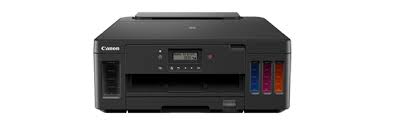
It has a high volume and high paper capacity for documents and photos. It allows you to print large volumes of jobs from all your devices. Canon PIXMA G5010 is a wireless single function printer. It is the perfect printer to meet all your home or office printing needs.

Canon PIXMA G5010 Driver for Windows

Compatibility Systems: Windows 11, Windows 10 (32bit), 10 (64bit), Windows 8.1 (32bit), 8.1 (64bit), Windows 7 (32bit), 7 (64bit)

Driver NameVersionRelease dateFile SizeDownload Link
G5000 series Printer Driver 1.315 Oct, 202120.2MBDownload
G5000 series Full Driver & Software Package1.317 Nov, 202220.1MBDownload
Canon Pixma G5010 Driver Description for Windows

Details

This file will download and install the drivers, application or manual you need to set up the full functionality of your product.

Download / Installation Procedures

Be sure to connect your PC to the Internet while performing the following:

  1. Download the file. For the location where the file is saved, check the computer settings.
  2. Double-click the downloaded .exe file. It will be decompressed and the Setup screen will be displayed. Follow the instructions to install the software and perform the necessary settings.

Canon PIXMA G6040 Printer Driver for Linux

Ver. 5.90
Name: cnijfilter2-source-5.90-1.tar.gz
Operating Systems: Linux (32bit), Linux (64bit)
Download
Size: 1.05 MB

Canon Pixma G3110 Driver

Canon Pixma G3110 Driver Download for Windows 11-10-8.1-7 (32bit-64bit)

  • G3000 series Full Driver & Software Package
  • G3000 series MP Drivers
  • G3000 series XPS Printer Driver
Canon G3110 Driver
Canon Pixma G3110 Ink Tanks Printer

The PIXMA G3110 Wireless Inkjet All-in-One Printer has printing, copying and scanning capabilities. It has a refillable internal ink tank. It has a 1.2 inch LCD screen for network connectivity, easy copying and viewing. This printer also features functions found in previous models such as a smart integrated ink system, compact design and borderless printing capabilities. It also offers wireless printing for smartphone and tablet with Smartphone Copy enabled via the updated Canon PRINT app.

Canon Pixma G3110 Driver Download for Windows

Compatible Systems: Windows 11, Windows 10 (32bit), Windows 10 (64bit), Windows 8.1 (32bit), Windows 8.1 (64bit), Windows 8 (32bit), Windows 8 (64bit), Windows 7 (32bit), Windows 7 (64bit)

Driver NameVersionRelease dateFile SizeDownload Link
MG3000 series Full Driver & Software Package1.231 Jul, 202321 MBDownload
MG3000 series MP Drivers1.0425 Jul, 202369 MBDownload
MG3000 series XPS Printer Driver6.05c25 Jul, 202321 MBDownload
Canon PIXMA MG3110 Series Driver Description for Windows

Download
*Be sure to connect your PC to the Internet while performing the following:

  1. Download the file. For the location where the file is saved, check the computer settings.
  2. Double-click the downloaded .exe file. It will be decompressed and the Setup screen will be displayed. Follow the instructions to install the software and perform the necessary settings.

G3000 series MP Drivers: This driver will provide full printing and scanning functionality for your product.

Download / Installation Procedures

1. Download the file. For the location where the file is saved, check the computer settings.
2. Double-click the downloaded EXE file to decompress it, then installation will start automatically.

G3000 series XPS Printer Driver: This is an optional printer driver allowing 16-bits per colour (bpc) printing.