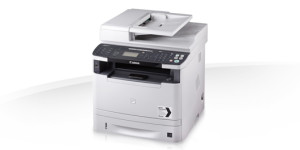
Connect and communicate with this colour multifunctional. A high performing networked multifunctional device with Wi-Fi connectivity and mobile printing. It’s easy-to-use and productive features allow your business to focus on everyday tasks.
Operating systems: Mac OS X 10.5.x, Mac OS X 10.6.x, Mac OS X 10.7.x, Mac OS X 10.8.x, Mac OS X 10.9.x, Mac OS X v10.10, Mac OS X 10.11
Version: 10.5.1 Download
Released: 10/01/2015
Canon Fax Driver
Operation Systems: Mac OS X 10.5.8, Mac OS X 10.6.x, Mac OS X 10.7.x, Mac OS X 10.8.x, Mac OS X 10.9.x
Version: v4.20
Released: 22-10-2013 Download
File size: o13an1mux_m_fax420.dmg
Canon i-SENSYS MF8580CdwDriver Description for Linux
This printer driver provides printing functions for UFRII-enabled Canon printers operating under the CUPS (Common UNIX Printing System) environment, a printing system that operates on Linux operating systems. To use this software, please read the online manual before installing the driver.
Mac CUPS UFRII MF Printer Driver
Operating systems: Mac OS X 10.5.x, Mac OS X 10.6.x, Mac OS X 10.7.x, Mac OS X 10.8.x, Mac OS X 10.9.x, Mac OS X v10.10, Mac OS X 10.11 Version: 10.5.1 Download Released: 10/01/2015
Download Canon MAXIFY MB5350 Printer Driver for Windows 11-10-8.1-8-7-Vista (32bit-64bit)- Driver for MAC (macOS 11, 10.15, 10.14, 10.13, v10.12, v10.11, v10.10, v10.9, v10.8, v10.7)- Driver for Ubuntu
MB5300 series MP Drivers- MB5300 series XPS Printer Driver and MB5300 series Full Driver & Software Package for Microsoft Windows- ICA Driver and MB5300 series CUPS Printer Driver for MAC – IJ Printer Driver for Linux
Canon MAXIFY MB5350 Printer
Canon MAXIFY MB5350 Printer Driver for Windows
Compatibility Systems: Windows 11, Windows 10 (32bit), 10 (64bit), Windows 8.1 (32bit), 8.1 (64bit), Windows 8 (32bit), 8 (64bit), Windows 7 (32bit), 7 (64bit), Vista (32bit), Vista (64bit),XP, WinXP (64bit)
Driver Name
Version
Release date
File Size
Operating systems
Download Link
Pixma MB5300 series MP Drivers
1.04
15 Oct 2021
33529050 KB
Windows 11 – Windows 10-10×64 – Windows 8.1-8.1×64 – Windows 8-8×64 – Windows 7-7×64 – Vista- Vistax64- XP
Canon MAXIFY MB5350 Driver Description for Windows
MB5300 series MP Drivers: This is a driver that will provide full functionality for your selected model. It also allows you to set-up your printer for printing and scanning wirelessly. A version of this standard driver will have been included on the CD provided with your original product
MB5300 series XPS Printer Driver: This is an advanced printer driver. XPS printer drivers supports 16-bits per color (bpc) printing, which enables more smooth gradation printing than the current drivers (8-bpc printing).
MB5300 series Full Driver & Software Package: This is an online installation software to help you to perform initial setup of your product on a PC (either USB connection or network connection) and to install various software.
Setup
Download the file. For the location where the file is saved, check the computer settings.
Double-click the downloaded .exe file. It will be decompressed and the Setup screen will be displayed. Follow the instructions to install the software and perform the necessary settings.
Canon MAXIFY MB5350 Printer Driver for MAC
Operating Systems: MacOS Catalina 10.15, macOS Mojave 10.14, macOS High Sierra 10.13, macOS Sierra v10.12.1 or later, OS X El Capitan v10.11, OS X Yosemite v10.10, OS X Mavericks v10.9, OS X Mountain Lion v10.8.5, OS X Lion v10.7.5