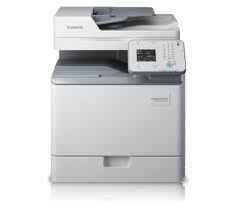
MF217w Scan Driver

Canon i-SENSYS MF217w Printer Driver Download for Windows 11-10-8.1-8-7 (32bit-64bit)

i-SENSYS MF217w/MF216n/MF212w MFDrivers (UFR II / FAX / ScanGear)-UFR II/UFRII LT V4 Printer Driver
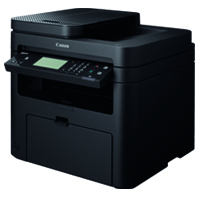
Canon i-SENSYS MF217w MFP

Canon i-SENSYS MF217w Scan Driver Download for Windows

i-SENSYS MF217w/MF216n/MF212w MFDrivers (UFR II / FAX / ScanGear)

Version: V4.50
File name: MF210MFDriverV450WPEN.exe
Release date: 26 Nov, 2021
Size: 118.99 MB
Operating systems: Windows 11-Windows 10 (64-bit)-Windows 8.1 (64-bit)-Windows 8 (64-bit)-Windows 7 (64-bit)

Download

Driver Version : UFR II Printer Driver – V21.20, Fax Driver – V10.10 (MF217w/MF216n), ScanGear – V11.3

*Precaution When Using a USB Connection
Disconnect the USB cable that connects the device and computer before installing the driver.
Connect the USB cable after installing the driver.

Drivers and applications are compressed.
Download the file.

  • When clicking [Run] on the file download screen (file is not saved to disk)
  1. If the User Account Control prompt is displayed, click [Yes], and then click [Run] on the subsequent Security Alert screen.
  2. The Setup Wizard will start.
  3. After the Setup Wizard has started, follow the instructions on the screen to perform installation.
  • When clicking [Save] on the file download screen (file is saved to disk at specified location)
  1. Save the file to an apporopriate location, and then double-click the file (double-clicking the file will create a new folder in the same location).
  2. If the User Account Control prompt is displayed, click [Yes].
  3. The Setup Wizard will start.
  4. After the Setup Wizard has started, follow the instructions on the screen to perform installation.

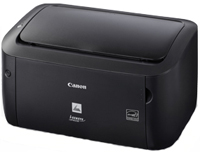
Canon LBP6020B Driver

Canon i-SENSYS LBP6020B Printer Driver for Windows

Canon i-SENSYS LBP6020B Printer

Driver – Software Details

LBP6020/6020B CAPT Printer Driver

Operating systems: Windows 10 (32-64bit), Windows 8.1 (32-64bit), Windows 8 (32-64bit), Windows 7 (32-64bit), Windows Vista (32-64bit), Windows XP

Release date: 07/17/2015

File version: R1.51V1.10

Windows 32-bit Driver

Download

Windows 64-bit Driver

Download

Language: English

Canon i-SENSYS LBP6200d Driver for Mac

Canon i-SENSYS LBP6200d Printer Driver for Mac Os X 14-13-12-11-10.15-10.14-10.13

LBP6200d CAPT Printer Driver for MACINTOSH

Canon i-SENSYS LBP6200d Printer

Canon i-SENSYS LBP6200d Driver for Mac

Operating Systems: MacOS Sonoma 14, macOS Ventura 13, macOS Monterey 12, macOS Big Sur 11, macOS Catalina 10.15, macOS Mojave 10.14, macOS High Sierra 10.13

Driver NameVersionRelease dateFile SizeDownload Link
LBP6200d CAPT Printer DriverV10.0.712 January, 202472 MBDownload
Canon i-SENSYS LBP6200d Driver Description for Mac

Details

This software is a CAPT printer driver for Canon LBP printers. Customers are also advised to download the Auto Shutdown Tool from the web site. Installing the Auto Shutdown Tool allows the settings for the auto shutdown function to be configured for this product.

Setup

The following instructions show you how to download the compressed files and decompress them.

  1. Click the link. The download will start automatically.
  2. Files are saved on your computer desktop.
  3. Double-click the file to mount the Disk Image.
  4. Double-click the mounted Disk Image.
  5. Double-click the Installer file in the folder. Installation starts automatically.
Exit mobile version