Canon i-SENSYS LBP6200D Driver Download

Canon i-SENSYS LBP6200D Driver Download for Windows 11-10-8.1-8-7 (64bit)

LBP6200d CAPT Printer Driver for Microsoft Windows
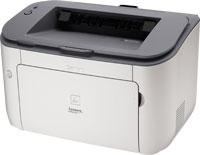
Canon i-SENSYS LBP6200d Printer

Canon i-SENSYS LBP6200D Driver Download for Windows

Compatibility Systems: Windows 11, Windows 10 (64bit), Windows 8.1 (64bit), Windows 8 (64bit), Windows 7 (64bit)

Driver NameVersionRelease dateFile SizeDownload Link
LBP6200d CAPT Printer DriverR1.51V1.102 December, 202113.0 MBDownload
Canon i-SENSYS LBP6200d Driver Description for Windows

Details

This software is a CAPT printer driver for Canon LBP printers.

Customers are also advised to download the Auto Shutdown Tool from the web site. Installing the Auto Shutdown Tool allows the settings for the auto shutdown function to be configured for this product.

Precaution When Using a USB Connection
Disconnect the USB cable that connects the device and computer before installing the driver.
Connect the USB cable after installing the driver.

Driver and application software files have been compressed.
The following instructions show you how to download the compressed files and decompress them.

  1. To download files, click the file link, click [Accept & Download], then select [Save] and specify the directory where you want to save the file. Click [Save] to start the file download.
  2. Downloaded files are saved in the specified folder in a self-extracting format (.exe format).
  3. Double-click the files to decompress them. A new folder will be created in the same folder. The new folder will have the same name as the compressed file.
  4. Double-click the decompressed Setup.exe file to start installation.
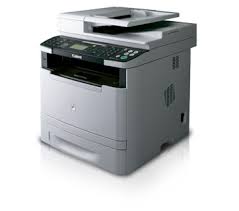
Canon i-SENSYS MF6140dn driver Download

Canon i-SENSYS MF6140dn Laser Multifunction Printer Driver for Microsoft Windows 11-10-8.1-8-7 (32bit-64bit)

i-SENSYS MF6140dn MFDrivers (UFR II / PCL / PS3 / FAX / ScanGear)-Generic PCL6 V4 Printer Driver

Canon i-SENSYS MF6140dn Laser Multifunction Printer Driver
Canon i-SENSYS MF6140dn Laser Multifunction Printer

Designed for cost-effective black and white printing in connected multi-user businesses.

Canon i-SENSYS MF6140dn Driver download for Windows

Compatibility Systems: Windows 11, Windows 10 (32bit), 10 (64bit), Windows 8.1 (32bit), 8.1 (64bit), Windows 8 (64bit), Windows 7 (64bit), Vista (64bit)(64bit)

Driver NameVersionRelease dateFile SizeOperating systemsDownload Link
i-SENSYS MF6180dw/MF6140dn MFDrivers (UFR II / PCL / PS3 / FAX / ScanGear)V4.3010 January 2025166.05 MBWindows 11-10×64- 8.1×64- 8×64-7×64- Vistax64Download
Generic PCL6 Printer DriverV3.1111 December 202446 MBWindows 11-10-10×64- 8.1-8.1×64Download
Canon i-SENSYS MF6140dn Driver Description for Windows
  1. To download files, click the file link, select [Save], and specify the directory where you want to save the file. The download will start automatically.
  2. Downloaded files are saved in the specified folder in a self-extracting format (.exe format).
  3. Double-click the files to decompress them. A new folder will be created in the same folder. The new folder will have the same name as the compressed file.
  4. Double-click the decompressed Setup.exe file to start installation.
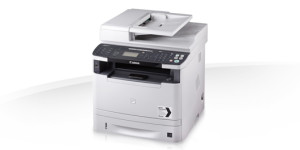
Canon MF6180dw Driver

Canon i-SENSYS MF6180dw Printer Driver Download for Windows 11-10-8.1-8-7 (32bit-64bit)

i-SENSYS MF6180dw MFDrivers (UFR II / PCL / PS3 / FAX / ScanGear)-Generic PCL6 V4 Printer Driver

Canon i-SENSYS MF6180dw Laser Multifunction Printer

Canon i-SENSYS MF6180dw Driver download for Windows

Compatibility Systems: Windows 11, Windows 10 (32bit), 10 (64bit), Windows 8.1 (32bit), 8.1 (64bit), Windows 8 (64bit), Windows 7 (64bit), Vista (64bit)(64bit)

Driver NameVersionRelease dateFile SizeOperating systemsDownload Link
i-SENSYS MF6180dw/MF6140dn MFDrivers (UFR II / PCL / PS3 / FAX / ScanGear)V4.3010 January 2025166.05 MBWindows 11-10×64- 8.1×64- 8×64-7×64- Vistax64Download
Generic PCL6 Printer DriverV3.1111 December 202446 MBWindows 11-10-10×64- 8.1-8.1×64Download
Canon i-SENSYS MF6180dw Driver Description for Windows

i-SENSYS MF6180dw/MF6140dn MFDrivers (UFR II / PCL / PS3 / FAX / ScanGear): Driver Version : UFR II Printer Driver – V20.95, PCL5e/5c/6 Printer Driver – V20.95, Postscript 3 Printer Driver – V20.95 (MF6180dw), Fax Driver – V8.95, ScanGear – V11.3

Generic PCL6 V4 Printer Driver: This is the Generic PCL6 V4 Printer Driver. Access the various printing functions of Canon devices from the print settings screen of this driver

Precaution When Using a USB Connection
Disconnect the USB cable that connects the device and computer before installing the driver.
Connect the USB cable after installing the driver.

Driver and application software files have been compressed.
The following instructions show you how to download the compressed files and decompress them.

  1. To download files, click the file link, select [Save], and specify the directory where you want to save the file. The download will start automatically.
  2. Downloaded files are saved in the specified folder in a self-extracting format (.exe format).
  3. Double-click the files to decompress them. A new folder will be created in the same folder. The new folder will have the same name as the compressed file.
  4. Double-click the decompressed Setup.exe file to start installation.