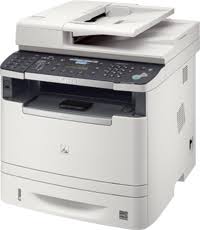
Canon i-SENSYS MF426dw Driver

Canon i-SENSYS MF426dw Printer

[Windows 32bit & 64bit] Generic Plus PCL6 Printer Driver V1.40
Details

This is a package-aware driver.
Some limitations exist when using this driver in a point-and-print environment.

The Generic Plus PCL6 Printer Driver is a common driver that supports multiple devices.
It provides an optimal user interface for your device.

Driver-Software

File version: V1.40
File name: GPlus_PCL6_Driver_V140_32_64_00.exe
Release date: 18 May 2018
Languages: English, Français, Español, Italiano, Deutsch, Türkçe, Nederlands, Norsk, Svenska, Português, Slovensky …

Operating Systems

Windows 10 (32-bit)
Windows 10 (64-bit)
Windows 8.1 (32-bit)
Windows 8.1 (64-bit)
Windows 7 (32-bit)
Windows 7 (64-bit)

Download

File Size: 57.98 MB

Canon i-SENSYS MF5840dn Driver

Canon i-SENSYS MF5880dn Printers

i-SENSYS MF5880dn/MF5840dn MF Drivers (UFR II / PCL / FAX / ScanGear)


Driver-Software

Version: V20.15

Name: MF5880dnPCLMFDriversV2015W32EN.exe

Released: 1225/2015

Operating systems

Microsoft Windows 10 (32-bit)

Microsoft Windows 8.1 (32-bit)

Microsoft Windows 8 (32-bit)

Microsoft Windows 7 (32-bit)

Microsoft Windows Vista (32-bit)

Windows XP (32-bit)

Download

File Size: 41.02MB

Canon i-SENSYS MF515x Driver

Canon i-SENSYS MF512x Printer Driver Download for Windows 11, 10, 8.1 7 (64bit)

i-SENSYS MF515x/MF512x MFDrivers (UFR II / PCL / PS3 / FAX / ScanGear)

Canon i-SENSYS MF515x Driver for Windows

Operating Systems: Windows 11, Windows 10 (64-bit), Windows 8.1 (64-bit), Windows 8 (64-bit), Windows 7 (64-bit), Windows Vista (64-bit)

Driver NameVersionRelease dateFile SizeDownload Link
i-SENSYS MF515x/MF512x MFDrivers (UFR II / PCL / PS3 / FAX / ScanGear)V5.00217 January 2025245 MBDownload
Canon i-SENSYS MF515x Driver Description for Windows

Driver Version : UFR II Printer Driver – V21.55, PCL6 Printer Driver – V21.55, Postscript 3 Printer Driver – V21.55, Fax Driver – V10.20 (MF515x), ScanGear – V11.3

*Precaution When Using a USB Connection
Disconnect the USB cable that connects the device and computer before installing the driver.
Connect the USB cable after installing the driver.

Drivers and applications are compressed.

Download / Installation Procedures

  1. Download the file. For the location where the file is saved, check the computer settings.
  2. Double-click the downloaded EXE file to decompress it, then installation will start automatically.
Exit mobile version