
Download Canon Pixma TS5320a All-inOne Color Inkjet Printer Driver for Windows 11/10/8.1/7 (32bit-64bit) and Driver for Linux (32bit-64bit)
The Pixma TS5300 series Driver setup package & MP Drivers for Microsoft Windows and Driver for Linux
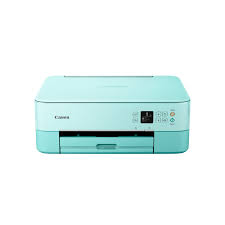
Navigate and manage easily with the 1.44″ Oled display and Led Status Bar. The PIXMA TS5320 has excellent print quality. Thanks to the hybrid ink system, you’ll get crisp text documents and great looking photos. Easily print from laptops, tablets and smartphones.
Canon PIXMA TS5320a Printer Driver for Windows
Compatible Systems: Windows 11, Windows 10 (32bit), 10 (64bit), Windows 8.1 (32bit), Windows 8.1 (64bit),Windows 7 (32bit), 7 (64bit)
| Driver Name | Version | Release date | File Size | Download Link |
| TS5300 series Driver setup package | 1.4 | 06-Nov-2024 | 19.85 MB | Download |
This file will download and install the driver needed to set up and utilize your product. Once complete, you will be able to install software to enhance the product’s functionality.
Download
- Download the file. For the location where the file is saved, check the computer settings.
- Double-click the downloaded .exe file. It will be decompressed and the Setup screen will be displayed. Follow the instructions to install the software and perform the necessary settings.
Canon PIXMA TS5320a Printer Driver for Linux
Operating Systems: Fedora 30 (32bit/64bit)-Ubuntu 19.04 (64bit)
| Driver Name | Version | Release date | File Size | Download Link |
| IJ Printer Driver | 5.90 | Sep 10, 2019 | 1.19 MB | Download |
This software is a source file for the Linux printer driver.