
Canon Pixma TS5300 Series Printer Driver Download for Windows 11-10-8.1-7 (32bit-64bit)
TS5300 series Driver setup package, TS5300 series MP Drivers for Microsoft Windows
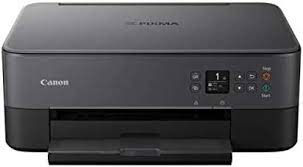
With the Canon PIXMA TS5300 Series printers, you can achieve your goals quickly and easily.
The compact 3-in-1 multifunctional is the ideal tool for crafting and creativity, and offers a great printing opportunity for your smartphone.
You can use the printer with both your iOS and Android phones.
Create stickers, magnets and other craft items with this device. You can also push your creativity to the limit with a variety of media and apps. You can even turn these skills into e-commerce.
Canon PIXMA TS5300 Series Printer Driver for Windows
Compatible Systems: Windows 11, Windows 10 (32bit), 10 (64bit), Windows 8.1 (32bit), Windows 8.1 (64bit),Windows 7 (32bit), 7 (64bit)
| Driver Name | Version | Release date | File Size | Download Link |
| TS5300 series Driver setup package | 1.4 | 06-Nov-2024 | 19.85 MB | Download |
This file will download and install the driver needed to set up and utilize your product. Once complete, you will be able to install software to enhance the product’s functionality.
Download
- Download the file. For the location where the file is saved, check the computer settings.
- Double-click the downloaded .exe file. It will be decompressed and the Setup screen will be displayed. Follow the instructions to install the software and perform the necessary settings.