
Canon PIXMA TS3327 Printer Driver Download for Windows 11-10-8.1-7 32bit-64bit
TS3300 series Driver setup package for Microsoft Windows
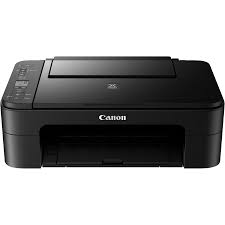
Wireless Inkjet All-in-One Printer. The enhanced setup using Wireless Connect, the Rear Paper Tray and flatbed scanner for quick and easy reloading of plain or photo paper is a great printer. In addition, the PIXMA TS3327 is capable of printing from your smartphone or tablet or laptops and computers with built-in Wi-Fi using AirPrint, Mopria Print Service and Canon PRINT app. It also has 1.5 “SEGMENT LCD SCREEN.
Canon PIXMA TS3327 Printer Driver for Windows
Compatibility Systems: Windows 11, Windows 10 (32bit), 10 (64bit), Windows 8.1 (32bit), 8.1 (64bit), Windows 7 (32bit), 7 (64bit)
| Driver Name | Version | Release date | File Size | Download Link |
| TS3300 series Driver setup package | 1.6 | 29 October, 2024 | 19.87 MB | Download |
This file will download and install the driver needed to set up and utilize your product. Once complete, you will be able to install software to enhance the product’s functionality.
Download / Installation Procedures
IMPORTANT: Be sure to connect your PC to the Internet while performing the following:
- Download the file. For the location where the file is saved, check the computer settings.
- Double-click the downloaded .exe file. It will be decompressed and the Setup screen will be displayed. Follow the instructions to install the software and perform the necessary settings.
Pixma TS6300 series MP Drivers Download