
Download Canon PIXMA TS5340 Printer Driver for Windows 11/10/8.1/7 32bit-64bit
TS5300 series Driver setup package and MP Driver (Windows)
IJ Printer Driver (Linux)
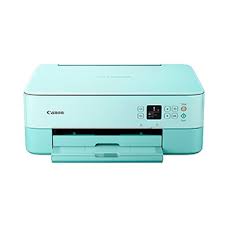
It’s compact, 3-in-1 multifunctional with quick connectivity, the ideal tool for crafts and creations, and the perfect print job for your smartphone. Stickers, magnets and crafts – unleash your creativity with a wide variety of media and applications.
Canon PIXMA TS5340 Printer Driver for Windows
Compatible Systems: Windows 11, Windows 10 (32bit), 10 (64bit), Windows 8.1 (32bit), Windows 8.1 (64bit),Windows 7 (32bit), 7 (64bit)
| Driver Name | Version | Release date | File Size | Download Link |
| TS5300 series Driver setup package | 1.4 | 06-Nov-2024 | 19.85 MB | Download |
This file will download and install the driver needed to set up and utilize your product. Once complete, you will be able to install software to enhance the product’s functionality.
Download
- Download the file. For the location where the file is saved, check the computer settings.
- Double-click the downloaded .exe file. It will be decompressed and the Setup screen will be displayed. Follow the instructions to install the software and perform the necessary settings.
Canon PIXMA TS5340 Printer Driver for Linux
Operating Systems: Linux 64bit – Linux 32bit
| Driver Name | Version | Release date | File Size | Operating systems | Download Link |
| IJ Printer Driver | 5.90 | 10-Sep-2019 | 1.12 MB | Fedora 30 (32bit/64bit) Ubuntu 19.04 (64bit) | Download |
IJ Printer Driver: This software is a source file for the Linux printer driver.