
Download Canon PIXMA TS5110 Photo All-in-One Inkjet Printers Driver for Windows 7-8.1-10-11 (64bit-32bit)
TS5100 series MP Drivers (Microsoft Windows)
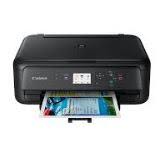
The PIXMA TS5110 Wireless Inkjet All-in-One is the perfect printer built to meet all your daily home printing needs. Easily print documents, forms, concert tickets, plus great-looking borderless photos. Connect the way you want to features like AirPrint, Google Cloud Print and Wi-Fi.
Canon PIXMA TS5110 Driver for Windows
Compatibility Systems: Windows 11, Windows 10 (32bit), 10 (64bit), Windows 8.1 (32bit), 8.1 (64bit), Windows 8 (32bit), 8 (64bit), Windows 7 (32bit), 7 (64bit)
| Driver Name | Version | Release date | File Size | Operating systems | Download Link |
| TS5100 series Full Driver & Software Package | 1.4 | 28-Nov-2024 | 20.23 MB | Windows 11-10-10×64 – 8.1-8.1×64- 7-7×64 – Vista- Vistax64 | Download |
TS5100 series Full Driver & Software Package: This file will download and install the drivers, application or manual you need to set up the full functionality of your product.
Download / Installation Procedures
IMPORTANT: Be sure to connect your PC to the Internet while performing the following:
1. Download the file. For the location where the file is saved, check the computer settings.
2. Double-click the downloaded .exe file. It will be decompressed and the Setup screen will be displayed. Follow the instructions to install the software and perform the necessary settings.
Canon Pixma TS6365 Driver for Mac
Relase Date: 19 Mar, 2020
Name: mac-ts6300-1_0-mcd.dmg
Compatibility Systems: macOS Catalina 10.15, macOS Mojave 10.14, macOS High Sierra 10.13, macOS Sierra v10.12, OS X El Capitan v10.11.6
Size: 12.03MB