

Download Canon iX6820 PIXMA Corporate and Graphics Art Printers Driver for Windows Windows 10/10 x64/8.1/8.1 x64/8/8 x64/7/7 x64/Vista/Vista64
iX6800 series Full Driver & Software Package-iX6800 series Printer Driver
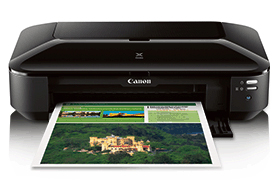
Help your business ideas get noticed with the PIXMA iX6820 Wireless Inkjet Business Printer. The PIXMA iX6820 is the ideal office printer, – even big presentation charts. With 9600 x 2400 maximum color dpi, it delivers exceptional printing detail. And with five individual ink tanks, you’ll not only get amazing color, you can replace only the color that runs out. The PIXMA iX6820 helps to streamline your productivity with exclusive, downloadable Solution Templates. Say goodbye to the hassle of having to create every document from scratch.
Canon PIXMA iX6820 Driver for Windows
Compatibility Systems: Windows 11, Windows 10 (32bit), 10 (64bit), Windows 8.1 (32bit), 8.1 (64bit), Windows 8 (32bit), 8 (64bit), Windows 7 (32bit), 7 (64bit
| Driver Name | Version | Release date | File Size | Download Link |
| iX6800 series Full Driver & Software Package | 1.1 | Feb 28, 2022 | 52.0 MB | Download |
iX6800 series Full Driver & Software Package: This file will download and install the drivers, application or manual you need to set up the full functionality of your product.
Download / Installation Procedures
*** Be sure to connect your PC to the Internet while performing the following:
- Click the link, select [ Save ], specify “Save As”, then click [ Save ] to download the file.
- The downloaded file will be saved in the specified place in the self-extracting form (.exe format ).
- Double-click the downloaded .exe file. It will be decompressed and the Setup screen will be displayed. Follow the instructions to install the software and perform the necessary settings.
I need to install scanner, why is it so difficult to install the scanner driver
This printer cannot print both sides