
Canon PIXMA G3262 Driver Download for Windows 11-10-8.1-7 (32bit-64bit)
G3060 series Driver setup package for Microsoft Windows
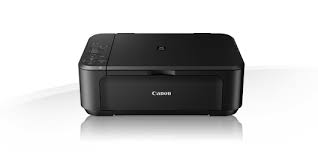
Canon PIXMA G3262 Wireless MegaTank All-In-One Printer. Designed for productivity— delivering high-volume, low-cost printing. Its refillable MegaTank ink system prints up to 6,000 black / 7,700 color pages from one set of ink bottles— that’s 30 times what you can print with a conventional ink cartridge set! Print, copy, and scan with ease and enjoy great versatility. Print documents, borderless photos, and more on a variety of media types and sizes with hybrid inks for crisp blacks and vivid colors. Plus, you can print on the go wirelessly from your favorite mobile devices. Print more for less with the Canon PIXMA G3262 Wireless MegaTank All-In-One Printer.
Canon PIXMA G3262 Driver Download for Windows
Compatibility Systems: Windows 11, Windows 10 (32bit), 10 (64bit), Windows 8.1 (32bit), 8.1 (64bit), Windows 7 (32bit), 7 (64bit)
| Driver Name | Version | Release date | File Size | Download Link |
| G3020 series Driver setup package | 1.5 | 15 October, 2024 | 20 MB | Download |
| G3020/G3060 series MP Driver | 1.03 | Oct 24, 2024 | 89.8 MB | Download |
| PIXMA G1520 Driver | 1.1 | 22 Jan, 2021 | 20.55 MB | Download |
G3060 series Driver setup package: This file will download and install the driver needed to set up and utilize your product. Once complete, you will be able to install software to enhance the product’s functionality.
SETUP
*Note: Be sure to connect your PC to the Internet while performing the following:
- Download the file. For the location where the file is saved, check the computer settings.
- Double-click the downloaded .exe file. It will be decompressed and the Setup screen will be displayed. Follow the instructions to install the software and perform the necessary settings.
G3020/G3060 series MP Driver: This driver will provide full printing and scanning functionality for your product.