

Canon PIXMA MG5722 Printer Driver Download for MAC OS X 10.15, 10.14, 10.13, v10.12, v10.11, v10.10
MG5700 series Full Driver & Software Package, MG5700 series CUPS Printer Driver
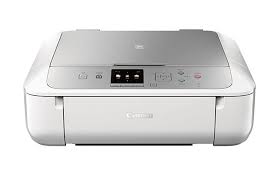
Canon PIXMA MG5722 Printer Driver for Windows
macOS Catalina 10.15, macOS Mojave 10.14, macOS High Sierra 10.13, macOS Sierra v10.12.1 or later, OS X El Capitan v10.11, OS X Yosemite v10.10.5
| Driver Name | Version | Post date | File Size | Operating systems | Download Link |
| MG5700 series Full Driver & Software Package | 1.4 | 01 Apr, 2020 | 10.71 MB | macOS 10.15, 10.14, 10.13, v10.12, v10.11, v10.10 | Download |
| MG5700 series CUPS Printer Driver | 16.40.1.0 | 29-Sep-2022 | 16.12 MB | Windows 11- 10 (32bit), 10 (64bit)- 8.1-8.1×64- 8-8×64-7-7×64 | Download |
MG5700 series Full Driver & Software Package: This file will download and install the drivers, application or manual you need to set up the full functionality of your product.
Download / Installation Procedures
1. Download the file. For the location where the file is saved, check the computer settings.
2. Double-click the downloaded file and mount it on the Disk Image.
3. Double-click the mounted Disk Image.
4. Double-click the “Setup” file to launch the setup screen. By following the instructions on the screen, install the software and do the connection settings for your product.
MG5700 series CUPS Printer Driver: (Standard) This is a printer driver for your selected model. For an enhanced user experience we also recommend installing My Image Garden software.
Procedures for the download and installation
- Download the file. For the location where the file is saved, check the computer settings.
- Double-click the downloaded file and mount it on the Disk Image.
- Double-click the mounted Disk Image.
- Double-click the packaged file in the folder. Installation starts automatically.