
Canon MAXIFY GX3010 Driver Download for Windows 11-10-8.1-7 (32bit-64bit)
GX3000 series MP Driver for Microsoft Windows
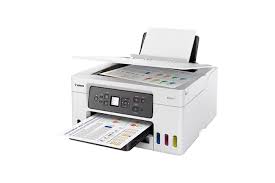
The Canon MAXIFY GX3010 printer is designed for home and small offices. In particular, the 3-in-1 and wireless MAXIFY GX3010 (print, copy and scan) lets you get work done cost-effectively. Additionally, the printer features a continuous ink supply system that can significantly reduce ink costs by using high-volume ink bottles.
Canon MAXIFY GX3010 Driver Download for Windows
Compatibility Systems: Windows 11, Windows 10 (32bit), 10 (64bit), Windows 8.1 (32bit), 8.1 (64bit), Windows 7 (32bit), 7 (64bit)
| Driver Name | Version | Release date | File Size | Download Link |
| GX3000 series MP Driver | 1.02 | 11 December, 2024 | 96.37 MB | DOWNLOAD |
Details
This driver will provide full printing and scanning functionality for your product.
Download / Installation Procedures
1. Download the file. For the location where the file is saved, check the computer settings.
2. Double-click the downloaded EXE file to decompress it, then installation will start automatically.
Note: A message may be displayed during the installation depending on the OS you are using, but continue the installation.