

Canon Laser Shot LBP5960 Driver MAC OS X 14, 13, 12, 11, 10.15, 10.14, 10.13
UFR II/UFRII LT Printer Driver & Utilities for Macintosh
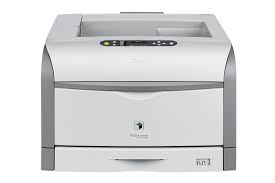
Canon Laser Shot LBP5960 Driver for MAC
Operating Systems: macOS Tahoe 26, macOS Sequoia 15, macOS 14 (Sonoma), macOS Ventura 13, Monterey 12, macOS Big Sur 11
| Driver Name | Version | Release date | File Size | Download Link |
| UFR II/UFRII LT Printer Driver & Utilities | V10.19.24 | 17 April 2026 | 76.11 MB | Download |
This is a package-aware driver.
Some limitations exist when using this driver in a point-and-print environment; please check the [Important Information] tab before using
Driver and application software files have been compressed.
The following instructions show you how to download the compressed files and decompress them.
- To download files, click the file link, select [Save], and specify the directory where you want to save the file. The download will start automatically.
- Downloaded files are saved in the specified folder in a self-extracting format (.exe format).
- Double-click the files to decompress them. A new folder will be created in the same folder. The new folder will have the same name as the compressed file.
- Double-click the decompressed Setup.exe file to start installation.
Canon Laser Shot LBP5960 Driver for Windows
Version: V15.00
File name: PCL6_Driver_V1500_32_64_EN_00.exe
Released: 24 Nov, 21
Compatible Systems: Windows 11, Windows 10, Windows 10 (64-bit), Windows 8.1, Windows 8.1 (64-bit), Windows 8, Windows 8 (64-bit), Windows 7, Windows 7 (64-bit)
Download
Size: 46.24MB