
Download Canon imageRUNNER C3380 Printer Driver for MAC OS X 14-13-12-11-10.15-10.14
UFR II/UFRII LT Printer Driver and Utilities for Macintosh
PS Printer Driver & Utilities
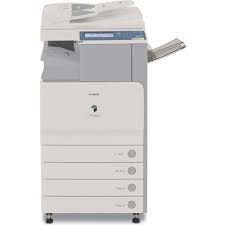
It has a color digital multi-function display system, a development system and a dry dual-component development system. There is also a standard 1GB RAM – 80GB hard disk drive and 100 User Inboxes, 1 Memory RX Inbox, 50 Confidential Fax Inboxes. It has 600 dpi x 600 dpi scanning resolution and 600 dpi x 600 dpi print resolution.
Canon imageRUNNER C3380 Driver for MAC
Compatible Systems: MacOS Sonoma 14, macOS Ventura 13, macOS Monterey 12, macOS Big Sur 11, macOS Catalina 10.15, macOS Mojave 10.14
| Driver Name | Version | Release date | File Size | Operating Systems | Download Link |
| UFR II/UFRII LT Printer Driver & Utilities | V10.19.20 | 30-Jun-2025 | 103.4 MB | macOS 10.14 | Download |
| Scanner Driver & Utilities | V2.15.14 | 12.07.23 | 87.6 MB | macOS 14, 13, 12, 11, 10.14 | Download |
Details
The following instructions show you how to download the compressed files and decompress them.
- Click the link. The download will start automatically.
- Files are saved on your computer desktop.
- Double-click the file to mount the Disk Image.
- Double-click the mounted Disk Image.
- Double-click the Installer file in the folder. Installation starts automatically.
Canon imageRUNNER 8595 Driver for Windows
Version: V7.1
Name: UFRII_V4_PrinterDriver_V71_02.exe
Released: Apr 17, 2019
Operating Systems: Windows 10 (32-bit), Windows 10 (64-bit), Windows 8.1 (32-bit), Windows 8.1 (64-bit)
Download
Size: 107.98 MB