

Download Canon Imageprograf TM-200 Printer Driver for Windows 11, 10, 8.1, 7 32bit-64bit
imagePROGRAF TM-200 series Full Driver & Software Package – imagePROGRAF TA-20 / TA-30 / TM-200 / TM-205 / TM-300 / TM-305 series Printer Driver for Microsoft Windows

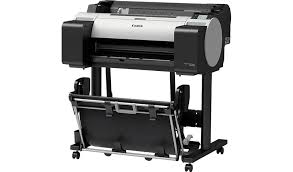
Canon Imageprograf TM-200 Printer Driver for Windows
Compatibility Systems: Windows 11, Windows 10 (32bit), 10 (64bit), Windows 8.1 (32bit), 8.1 (64bit), Windows 7 (32bit), 7 (64bit)
| Driver Name | Version | Release date | File Size | Download Link |
| imagePROGRAF TM-200 series Full Driver & Software Package | 1.2 | 16 Dec, 2022 | 20.01 MB | Download |
| imagePROGRAF TA-20 / TA-30 / TM-200 / TM-205 / TM-300 / TM-305 series Printer Driver | 1.14 | 18 March, 2022 | 66.01 MB | Download |
imagePROGRAF TM-200 series Full Driver & Software Package: This is an online installation software to help you to perform initial setup of your product on a PC (either USB connection or network connection) and to install various software.
Download / Installation Procedures
*Be sure to connect your PC to the Internet while performing the following:
- Download the file. For the location where the file is saved, check the computer settings.
- Double-click the downloaded .exe file. It will be decompressed and the Setup screen will be displayed. Follow the instructions to install the software and perform the necessary settings.
imagePROGRAF TA-20 / TA-30 / TM-200 / TM-205 / TM-300 / TM-305 series Printer Driver: (Standard) This is a printer driver that will provide full functionality for your selected model. A version of this standard driver will have been included on the CD provided with your original product.