

Download Canon i-SENSYS X C1127P Printer Driver for Windows 11-10-8.1-7 32bit-64bit
Generic Plus PCL6 Printer Driver
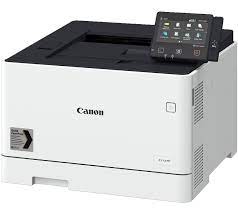
Canon i-SENSYS X C1127P Printer Driver for Windows
Compatibility Systems: Windows 11, Windows 10 (32bit), Windows 10 (64bit), Windows 8.1 (32bit), 8.1 (64bit), Windows 8 (32bit), 8 (64bit), Windows 7 (32bit), Windows 7 (64bit)
| Driver Name | Version | Release date | File Size | Download Link |
| Generic Plus PCL6 Printer Driver | V2.60 | 30 June 2022 | 58.1 MB | Download |
| i-SENSYS MF8080Cw Driver | V20.55 | 1 Aug, 2019 | 45 MB | Download |
Generic Plus PCL6 Printer Driver: This is a package-aware driver.
Some limitations exist when using this driver in a point-and-print environment; please check the [Important Information] tab before using.*
The Canon-developed Generic Plus PCL6 Printer Driver is a common driver that supports multiple Canon devices. It provides an optimal user interface for your device.
Generic UFR II V4 Printer Driver: This is the Generic UFR II V4 Printer Driver. Access the various printing functions of Canon devices from the print settings screen of this driver.
To use the Canon specific print settings of this driver with apps, you should also install the Canon Office Printer Utility which is available from the Windows Store.
Information about how to install and use this driver, as well as the details of each function, can be found in the e-manual, which is available here: canon.com/oip-manual