
Canon i-SENSYS MF512x Printer Driver Download for Windows 11, 10, 8.1 7 (64bit)
i-SENSYS MF515x/MF512x MFDrivers (UFR II / PCL / PS3 / FAX / ScanGear)
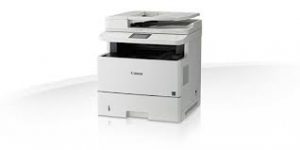
Canon i-SENSYS MF515x Driver for Windows
Operating Systems: Windows 11, Windows 10 (64-bit), Windows 8.1 (64-bit), Windows 8 (64-bit), Windows 7 (64-bit), Windows Vista (64-bit)
| Driver Name | Version | Release date | File Size | Download Link |
| i-SENSYS MF515x/MF512x MFDrivers (UFR II / PCL / PS3 / FAX / ScanGear) | V5.002 | 17 January 2025 | 245 MB | Download |
Driver Version : UFR II Printer Driver – V21.55, PCL6 Printer Driver – V21.55, Postscript 3 Printer Driver – V21.55, Fax Driver – V10.20 (MF515x), ScanGear – V11.3
*Precaution When Using a USB Connection
Disconnect the USB cable that connects the device and computer before installing the driver.
Connect the USB cable after installing the driver.
Drivers and applications are compressed.
Download / Installation Procedures
- Download the file. For the location where the file is saved, check the computer settings.
- Double-click the downloaded EXE file to decompress it, then installation will start automatically.