

Canon i-SENSYS LBP361dw MF Printer Driver Download for MAC 26, 15, 14, 13, 12, 11
Scanner Driver & Utilities-PS Printer Driver & Utilities-UFR II/UFRII LT Printer Driver & Utilities for MAC
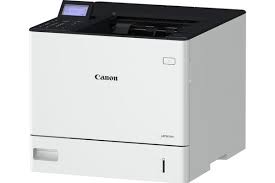
Canon i-SENSYS LBP361dw Driver for MAC
Operating Systems: macOS Tahoe 26, macOS Sequoia 15, macOS 14 (Sonoma), macOS Ventura 13, Monterey 12, macOS Big Sur 11
| Driver Name | Version | Release date | File Size | Download Link |
| UFR II/UFRII LT Printer Driver & Utilities | V10.19.24 | 17 Apr, 2026 | 76.06 MB | Download |
| PS Printer Driver & Utilities | V4.17.23 | 17 April 2026 | 48.02 MB | Download |
| Fax Driver & Utilities | V4.15.23 | 17 April 2026 | 19.01 MB | Download |
Scanner Driver & Utilities: The MF Scan Utility and MF Toolbox necessary for adding scanners are also installed. To find out which application the printer model you are using supports, refer to the Readme file.
UFR II/UFRII LT Printer Driver & Utilities: The following instructions show you how to download the compressed files and decompress them.
- Click the link. The download will start automatically.
- Files are saved on your computer desktop.
- Double-click the file to mount the Disk Image.
- Double-click the mounted Disk Image.
- Double-click the Installer file in the folder. Installation starts automatically.
Canon i-SENSYS LBP361dw Driver for Windows
Operating Systems: Windows 11, 10 (32bit), 10 (64bit), 8.1 (32bit), 8.1 (64bit), 7 (32bit), 7 (64bit)
| Driver Name | Version | Release date | File Size | Download Link |
| UFRII LT Printer Driver | V30.86 | 20 June, 22 | 39.03 MB | Download |