

Canon i-SENSYS LBP162dw Driver for MAC (14-13-12-11-10.15-10.14-10.13)
- UFR II/UFRII LT Printer Driver & Utilities, PS Printer Driver and Utilities for Mac

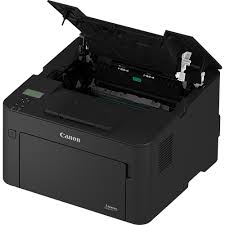
Canon i-SENSYS LBP162dw Driver for MAC
Compatibility Systems: macOS Tahoe 26, macOS 15 (Sequoia), macOS 14 (Sonoma), macOS Ventura 13, Monterey 12, macOS Big Sur 11
| Driver Name | Version | Release date | File Size | Download Link |
| Scanner Driver & Utilities | V2.15.14 | 22 Sep, 2023 | 87.05 MB | Download |
| UFR II/UFRII LT Printer Driver and Utilities | V10.19.24 | 17 April 2026 | 76.0MB | Download |
| PS Printer Driver & Utilities | V4.17.23 | 17 April 2026 | 48 MB | Download |
UFR II/UFRII LT Printer Driver & Utilities for Mac: The following instructions show you how to download the compressed files and decompress them.
- Click the link. The download will start automatically.
- Files are saved on your computer desktop.
- Double-click the file to mount the Disk Image.
- Double-click the mounted Disk Image.
- Double-click the Installer file in the folder. Installation starts automatically.
Canon i-SENSYS LBP162dw Driver for Windows
Operating Systems: Windows 11, Windows 10 (32bit), 10 (64bit), Windows 8.1 (32bit), 8.1 (64bit), Windows 7 (32bit), 7 (64bit)
| Driver Name | Version | Release date | File Size | Download Link |
| Generic Plus PCL6 Printer Driver | V2.70 | 28 November 2022 | 59.0 MB | Download |