

Canon Pixma G3501 Printer Driver Download for Windows 11-10-8.1-8-7 32bit&64bit
G3000 series Full Driver & Software Package- G3000 series MP Drivers and G3000 series XPS Printer Driver for Microsoft Windows
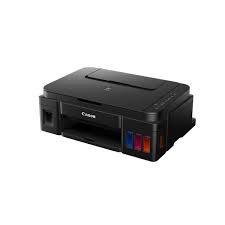
Canon G3501 High Volume Refillable Ink Multi functional Printer. Multi functional print, copy scan capability. Built in Wi-Fi to easily print from anywhere, allowing you to print wirelessly from your PC, and smart devices through our ‘Canon PRINT app’.
This is an online installation software to help you to perform initial setup of your product on a PC (either USB connection or network connection) and to install various software.
Canon PIXMA G3501 Printer Driver for Windows
Compatibility Systems: MacOS Sequoia 15, Sonoma 14, macOS Ventura 13, macOS Monterey 12, macOS Big Sur 11, macOS Catalina 10.15, macOS Mojave 10.14, macOS High Sierra 10.13, macOS Sierra v10.12.1 or later, OS X El Capitan v10.11, OS X Yosemite v10.10.5
| Driver Name | Version | Release date | File Size | Operating systems | Download Link |
| ICA Driver | 5.0.0 | 26 Sep, 23 | 0.45 MB | macOS 14, 13, 12, 11 | Download |
| G3000 series CUPS Printer Driver | 16.91.0.0 | 10 Mar, 2026 | 15.45 MB | macOS 26, 15, 14, 13, 12, 11 | Download |
| MG3000 series Full Driver & Software Package | 1.6 | 08 Apr, 2025 | 7.77 MB | macOS 15, 14, 13, 12, 11, 10.15, 10.14, 10.13, v10.12.1, v10.11, v10.10 | Download |
G3000 series CUPS Printer Driver: This driver will provide full printing functionality for your product.
Procedures for the download and installation
- Download the file. For the location where the file is saved, check the computer settings.
- Double-click the downloaded file and mount it on the Disk Image.
- Double-click the mounted Disk Image.
- Double-click the packaged file in the folder. Installation starts automatically.
G3000 series Full Driver & Software Package: This file will download and install the drivers, application or manual you need to set up the full functionality of your product.
Installation
Note: Be sure to connect your PC to the Internet while performing the following:
- Download the file. For the location where the file is saved, check the computer settings.
- Double-click the downloaded .exe file. It will be decompressed and the Setup screen will be displayed. Follow the instructions to install the software and perform the necessary settings.
G3000 series MP Drivers: This driver will provide full printing and scanning functionality for your product.
Download – Installation
- Download the file. For the location where the file is saved, check the computer settings.
- Double-click the downloaded EXE file to decompress it, then installation will start automatically.
G3000 series XPS Printer Driver: This is an optional printer driver allowing 16-bits per colour (bpc) printing.
Download / Installation Procedures
- Download the file. For the location where the file is saved, check the computer settings.
- Double-click the downloaded EXE file to decompress it, then installation will start automatically.
Canon PIXMA G3501 Printer Driver for MAC
| Driver Name | Version | Release date | File Size | Operating systems | Download Link |
| G3000 series Full Driver & Software Package | 1.5 | 1 April 2020 | 10 MB | macOS 10.15, 10.14, 10.13, v10.12.1, OS X v10.11, OS X v10.10 | Download |