
Download Canon PIXMA E414 Printer Driver for MAC (14, 13, 12, 11, 10.15, 10.14, 10.13, v10.12.1, v10.11, v10.10, v10.9, v10.8)
E410 series CUPS Printer Driver & ICA Driver (Mac)
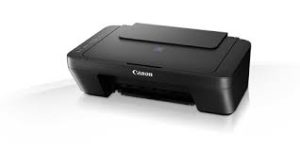
Canon PIXMA E414 Printer Driver for MAC
Operating Systems: macOS 26, 15, Sonoma 14, Ventura 13, Monterey 12, macOS Big Sur 11, macOS Catalina 10.15, macOS Mojave 10.14, macOS High Sierra 10.13, macOS Sierra v10.12.1 or later, OS X El Capitan v10.11, OS X Yosemite v10.10, OS X Mavericks v10.9, OS X Mountain Lion v10.8
| Driver Name | Version | Release date | File Size | Operating systems | Download Link |
| E410 series CUPS Printer Driver | 16.90.0.0 | 16-Sep-2025 | 15.65 MB | macOS Tahoe 26 macOS Sequoia 15 macOS Sonoma 14 macOS 13 (Ventura) macOS 12 (Monterey) macOS 11 (Big Sur) | Download |
| E410 series Full Driver & Software Package (Mac) | 1.5 | 08-Apr-2025 | 7.7 MB | macOS 15, 14, 13, 12, 11, 10.15, 10.14, 10.13, v10.12.1, v10.11, v10.10 | Download |
| ICA Driver | 4.3.4b | 29 July 2022 | 2.0 MB | macOS 10.15, 10.14, 10.13, v10.12.1, v10.11, v10.10, v10.9, v10.8 | Download |
E410 series CUPS Printer Driver: This driver will provide full printing functionality for your product.
Installation
- Download the file. For the location where the file is saved, check the computer settings.
- Double-click the downloaded file and mount it on the Disk Image.
- Double-click the mounted Disk Image.
- Double-click the packaged file in the folder. Installation starts automatically.
ICA Driver: This driver will provide full scanning functionality for your product.
Canon PIXMA E414 Printer Driver for Windows
Compatibility Systems: Windows 11, Windows 10 (32bit), 10 (64bit), Windows 8.1 (32bit), 8.1 (64bit), Windows 8 (32bit), 8 (64bit), Windows 7 (32bit), 7 (64bit)
| Driver Name | Version | Release date | File Size | Download Link |
| E410 series MP Drivers | 1.02 | 15 Oct, 2021 | 62.2 MB | Download |
I can not download Canon PIXMA E414 Software driver for mac. I think this link is broken.