

Canon Pixma E3370 Compact Wireless All-In-One Printer Driver Download for MacOS 15, 14, 13, 12, 11, 10.15, 10.14, 10.13, v10.12.1, OS X v10.11
E3300 series Setup package for Mac

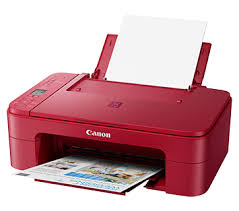
Scan, Print, Copy- Pixma E 3370 Multi Function Printer. ISO standard print speed (A4): 7.7ipm black / 4.4ipm colour. Hi-speed USB 2.0, Wireless, Wireless Pictbridge, Mopria, AirPrint, Wireless Direct. Recommended print volume: 50 – 200 pages.
Canon PIXMA E3370 Printer Driver for MAC
Operating Systems: MacOS X macOS Sequoia 15, Sonoma 14, Ventura 13, Monterey 12, Big Sur 11, Catalina 10.15, Mojave 10.14, High Sierra 10.13, Sierra v10.12.1 or later, El Capitan v10.11
| Driver Name | Version | Release date | File Size | Operating systems | Download Link |
| E3300 series Setup package | 1.2 | 21-May-2025 | 7.85 MB | macOS 15, 14, 13, 12, 11, 10.15, 10.14, 10.13, v10.12.1, OS X v10.11 | Download |
This file will download and install the software needed to utilize your prodcut. Once complete, you will be able to install additional software to enhance the product’s functionality.
Download / Installation Procedures
- Download the file. For the location where the file is saved, check the computer settings.
- Double-click the downloaded file and mount it on the Disk Image.
- Double-click the mounted Disk Image.
- Double-click the “Setup” file to launch the setup screen. By following the instructions on the screen, install the software and do the connection settings for your product.