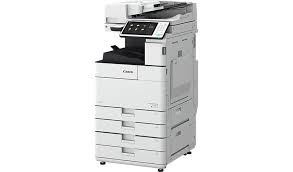
Download Canon imageRUNNER ADVANCE C5500i III Series Printer Driver for Windows 11, 10, 8.1, 7 (32bit-64bit)
Generic Plus PCL6 Printer Driver and Generic Plus UFR II Printer Driver for Microsoft Windows
Canon imageRUNNER ADVANCE C5500i Printer
Canon imageRUNNER ADVANCE C5500i Printer Driver for Windows
Compatibility Systems: Windows 11, Windows 10 (32bit), 10 (64bit), Windows 8.1 (32bit), 8.1 (64bit), Windows 8 (32bit), 8 (64bit), Windows 7 (32bit), 7 (64bit)
Canon imageRUNNER ADVANCE C5500i Driver Description for Windows
Generic Plus PCL6 Printer Driver: The Canon-developed Generic Plus PCL6 Printer Driver is a common driver that supports multiple Canon devices.
Generic Plus UFR II Printer Driver: This is a Canon-developed Generic Plus UFR II Printer Driver. This is a generic printer driver that supports various Canon devices. You can use the same driver for all printer models by changing the settings for the printing port and device information.
Setup
To download files, click the file link, select [Save], and specify the directory where you want to save the file.The download will start automatically.
Downloaded files are saved in the specified folder in a self-extracting format (.exe format).
Double-click the files to decompress them. A new folder will be created in the same folder. The new folder will have the same name as the compressed file.
Double-click the decompressed Setup.exe file to start installation.
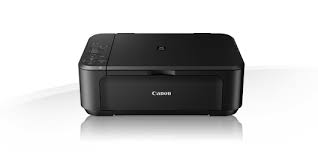
Download Canon PIXMA MG3260 Printer Driver for Windows 11-10-8.1-8-7 (32bit-64bit) / for MAC (10.15, 10.14, 10.13, v10.12.1, v10.11, v10.10, v10.9, v10.8.5, v10.7.5) and Linux (32bit-64bit)
MG3200 series MP Drivers and MG3200 series XPS Printer Driver for Microsoft Windows
ICA Driver- MG3200 series Scanner Driver for MAC
IJ Printer Driver for Linux
Canon Printer PIXMA MG3260
Canon PIXMA MG3260 Printer Driver for Windows
Driver Name
Version
Release date
File Size
Operating systems
Download Link
MG3200 series MP Drivers
1.02
15 Oct 2021
36839992 KB
Windows 11 – Windows10-10×64 – Windows 8.1-8.1×64 – Windows 8-8×64 – Windows 7-7×64 – Vista- Vistax64
MG3200 series MP Drivers: This file is a driver for Canon IJ multifunction printers. You can install the following items of the software: MP Drivers: The driver for Canon IJ multifunction printer. IJ Scan Utility: The software that allows you to easily scan photos, documents, etc. IJ Network Tool: The software that performs the setup for printing in the network connection. IJ Scanner Selector EX: The software that performs the setup for scanning in the network connection.
Download / Installation Procedures
Click the link, select [ Save ], specify “Save As”, then click [ Save ] to download the file. Memo : If you select [ Run ] ( or [ Open ] ) instead of [ Save ], the file will be automatically installed after it is saved.
The downloaded file will be saved in the specified place in the self-extracting form ( .exe format ).
Double-click the downloaded EXE file to decompress it, then installation will start automatically.
MG3200 series XPS Printer Driver: This file is a printer driver for Canon IJ printers. XPS printer drivers support 16-bpc printing, which enables more smooth gradation printing than the current drivers (8-bpc printing).
Setup
Click the link, select [ Save ], specify “Save As”, then click [ Save ] to download the file. Memo : If you select [ Run ] ( or [ Open ] ) instead of [ Save ], the file will be automatically installed after it is saved.
The downloaded file will be saved in the specified place in the self-extracting form ( .exe format ).
Double-click the downloaded EXE file to decompress it, then installation will start automatically.
Canon PIXMA MG3260 Printer Driver for MAC
Operating Systems: macOS Monterey 12, macOS Big Sur 11, macOS Catalina 10.15, macOS Mojave 10.14, macOS High Sierra 10.13, macOS Sierra v10.12.1 or later, OS X El Capitan v10.11, OS X Yosemite v10.10, OS X Mavericks v10.9, OS X Mountain Lion v10.8.5, OS X Lion v10.7.5
ICA Driver: This driver is a scanner driver for Canon color image scanners.
Setup
Download the file. For the location where the file is saved, check the computer settings.
Double-click the downloaded file and mount it on the Disk Image.
Double-click the mounted Disk Image.
Double-click the packaged file in the folder. Installation starts automatically
MG3200 series Scanner Driver: This file is a TWAIN-compliant scanner driver for Canon color image scanner. You can install the following items of the software: ScanGear: The TWAIN-compliant scanner driver for Canon color image scanner. IJ Scan Utility: The software that allows you to easily scan photos, documents, etc. IJ Scanner Selector EX: The software that performs the setup for scanning in the network connection.
Download / Installation Procedures
Download the file. For the location where the file is saved, check the computer settings.
Double-click the downloaded file and mount it on the Disk Image.
Double-click the mounted Disk Image.
Double-click the packaged file in the folder. Installation starts automatically.
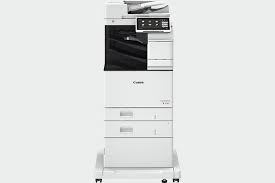
Download Canon imageRUNNER ADVANCE DX 617i Printer Driver for Windows 11-10-8.1-7 (32bit-64bit)- Driver for MAC (macOS 14, 13, 12, 11, 10.15, 10.14)- Driver for Linux (32bit-64bit)
Generic Plus PCL6 Printer Driver-Generic FAX Driver for Microsoft Windows
PS Printer Driver & Utilities-Generic FAX Driver-Generic UFR II V4 Printer Driver for MAC
UFR II/UFRII LT Printer Driver -CQue TGZ Driver- CQue DEB Driver for Linux
Canon imageRUNNER ADVANCE DX 617i Printer
The imageRUNNER ADVANCE DX 617i features mono Laser technology. It has wireless and automatic double-sided printing. It can write 61 pages per minute.
Canon imageRUNNER ADVANCE DX 617i Printer Driver for Windows
Compatibility Systems: Windows 11, Windows 10 (32bit), 10 (64bit), Windows 8.1 (32bit), 8.1 (64bit), Windows 7 (32bit), 7 (64bit)
Canon imageRUNNER ADVANCE DX 617i Driver Description for Windows
Generic Plus PCL6 Printer Driver: The Canon-developed Generic Plus PCL6 Printer Driver is a common driver that supports multiple Canon devices. It provides an optimal user interface for your device.
Driver and application software files have been compressed. The following instructions show you how to download the compressed files and decompress them.
To download files, click the file link, select [Save], and specify the directory where you want to save the file. The download will start automatically.
Downloaded files are saved in the specified folder in a self-extracting format (.exe format).
Double-click the files to decompress them. A new folder will be created in the same folder. The new folder will have the same name as the compressed file.
Double-click the decompressed Setup.exe file to start installation.
Canon imageRUNNER ADVANCE DX 617i Printer Driver for MAC
Canon imageRUNNER ADVANCE DX 617i Printer Description for Linux
CQue TGZ Driver: This driver is a packaged in the .tar.gz format. This package contains drivers for 64 bit versions of Linux operating systems. The CQue driver facilitates the creation and configuration of printer queues on Linux workstations or servers, allowing access to all features of Canon devices (iR, CLC, MF, LBP).
CQue DEB Driver: This driver is packaged for use with RedHat, Fedora, SUSE, Mandriva and other Linux systems. This driver is for 64 bit versions of Linux operating systems. The CQue driver facilitates the creation and configuration of printer queues on Linux workstations or servers, allowing access to all features of Canon devices (iR, CLC, MF, LBP).