Download Canon PIXMA iX6850 Printer Drivers for Windows 11-10-8.1-7 32bit-64bit
iX6800 series Full Driver & Software Package
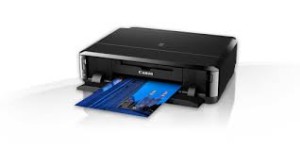
Canon PIXMA iX6850
Compact, high-performance A3+ wireless office printer. This high performance A3+ office printer offers Wi-Fi and Ethernet connectivity, plus printing from mobile devices. 5 single inks efficiently deliver superior quality business documents and photos.
Canon PIXMA iX6850 Driver for Windows
Compatible Systems: Windows 11, Windows 10 (32bit), Windows 10 (64bit), Windows 8.1 (32bit), Windows 8.1 (64bit), Windows 8 (32bit), Windows 8 (64bit), Windows 7 (32bit), Windows 7 (64bit)
Click the link, select [ Save ], specify “Save As”, then click [ Save ] to download the file. Memo : If you select [ Run ] ( or [ Open ] ) instead of [ Save ], the file will be automatically installed after it is saved.
The downloaded file will be saved in the specified place in the self-extracting form ( .exe format ).
Double-click the downloaded EXE file to decompress it, then installation will start automatically.
Download Canon PIXMA iP2850 All-in-one Printers Driver for Windows 11/10/8.1/8/7/Vista (32bit-64bit) and Driver for MAC (MacOS 12, 11, 10.15, 10.14, 10.13, v10.12.1, v10.11, v10.10, v10.9, v10.8, v10.7, v10.6)
Pixma iP2800 series Printer Driver-iP2800 series Full Driver & Software Package-iP2800 series XPS Printer Driver for Microsoft Windows and iP2800 series Full Driver & Software Package for MAC
Canon PIXMA iP2850 Printer
Canon PIXMA IP2850 color inkjet print (4800 x 600 dpi, USB), ChromaLife100 for compact, long-lasting photos. Ink for particularly high quality prints with fine print heads. Print Speed: 8.0/4.0/ISO-to-page (A4-document) B&W/Color
Canon PIXMA iP2850 Printer Driver for Windows
Compatibility Systems: Windows 11, Windows 10 (32bit), 10 (64bit), Windows 8.1 (32bit), 8.1 (64bit), Windows 8 (32bit), 8 (64bit), Windows 7 (32bit), 7 (64bit), Vista (32bit), Vista (64bit)
Driver Name
Version
Release date
File Size
Operating systems
Download Link
iP2800 series Printer Driver
2.75
10-15-21
12.9 MB
Windows 11-10-10×64 – Windows 8.1-8.1×64 – Windows 8-8×64-7-7×64 – Vista- Vistax64
iP2800 series Printer Driver: This file is a driver for Canon IJ printers.
Download / Installation
Click the link, select [ Save ], specify “Save As”, then click [ Save ] to download the file. Memo : If you select [ Run ] ( or [ Open ] ) instead of [ Save ], the file will be automatically installed after it is saved.
The downloaded file will be saved in the specified place in the self-extracting form ( .exe format ).
Double-click the downloaded EXE file to decompress it, then installation will start automatically.
Canon PIXMA iP2850 Printer Driver for MAC
Operating Systems: macOS Monterey 12, macOS Big Sur 11, macOS Catalina 10.15, macOS Mojave 10.14, macOS High Sierra 10.13, macOS Sierra v10.12.1 or later, OS X El Capitan v10.11, OS X Yosemite v10.10, OS X Mavericks v10.9, OS X Mountain Lion v10.8, OS X Lion v10.7
iP2800 series CUPS Printer Driver: This is a printer driver for your selected model. For an enhanced user experience we also recommend installing My Image Garden softwa
Description: This software is recommended for users who mainly shoot RAW images. You can quickly view, edit, process and print RAW images. You can also edit JPEG images while retaining the original images.
Languages: English, Français, Español, Italiano, Deutsch, Русский, 日本語, 한국어, 简体中文
Digital Camera Software
Operating systems: Windows 8.1, Windows 8.1 (x64), Windows 8, Windows 8 (x64), Windows 7, Windows 7 (x64)