Click the link, select [ Save ], specify “Save As”, then click [ Save ] to download the file. Memo : If you select [ Run ] ( or [ Open ] ) instead of [ Save ], the file will be automatically installed after it is saved.
The downloaded file will be saved in the specified place in the self-extracting form ( .exe format ).
Double-click the downloaded EXE file to decompress it, then installation will start automatically.
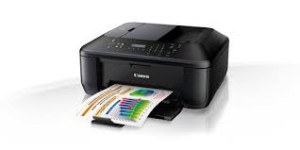
Bring excellent quality, speed, and ease of use to your home office all in the name of increased productivity. This begins with built-in Wi-Fi for printing and scanning virtually anywhere in your home from computers and compatible mobile devices. This also includes AirPrint, which lets you wirelessly print photos, emails, web pages, documents and more from compatible iPad, iPhone or iPod touch devices to a compatible Canon PIXMA MX512 Wireless All-In-One.
Canon PIXMA MX512 Drivers Download for Windows
Compatibility Systems: Windows 10 (32bit), 10 (64bit), Windows 8.1 (32bit), 8.1 (64bit), Windows 8 (32bit), 8 (64bit), Windows 7 (32bit), 7 (64bit), Vista (32bit), Vista (64bit)
MX510 series MP Driver: This file is a driver for Canon IJ multifunction printers. IJ Network Tool is included in this MP Drivers.
Download / Installation Procedures
Click the link, select [ Save ], specify “Save As”, then click [ Save ] to download the file. Memo : If you select [ Run ] ( or [ Open ] ) instead of [ Save ], the file will be automatically installed after it is saved.
The downloaded file will be saved in the specified place in the self-extracting form ( .exe format ).
Double-click the downloaded EXE file to decompress it, then installation will start automatically.
MX510 series XPS Printer Driver: This file is a printer driver for Canon IJ printers. XPS printer drivers support 16-bpc printing, which enables more smooth gradation printing than the current drivers (8-bpc printing).
Download / Installation Procedures
Click the link, select [ Save ], specify “Save As”, then click [ Save ] to download the file. Memo : If you select [ Run ] ( or [ Open ] ) instead of [ Save ], the file will be automatically installed after it is saved.
The downloaded file will be saved in the specified place in the self-extracting form ( .exe format ).
Double-click the downloaded EXE file to decompress it, then installation will start automatically.