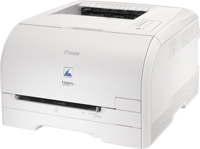
Download Canon i-SENSYS LBP5050 Printer Driver for Windows 11-10-8.1-8-7 64bit
LBP6000/LBP6000B CAPT Printer Driver for Microsoft Windows
Canon i-SENSYS LBP5050 Printer
Canon i-SENSYS LBP5050 Driver for Windows
Version: R1.50V1.10 File name: LBP6000_6018_R150_V110_W64_uk_EN_1.exe Released: 2 December, 2021 Operating systems: Windows 11- Windows 10 (64-bit)- Windows 8.1 (64-bit)- Windows 8 (64-bit)- Windows 7 (64-bit) – Vista (64-bit)- Windows XP (64-bit) Download Size: 13.05 MB
The PIXMA MG3522 wireless inkjet photo all-in-one features excellent print quality and exceptional ease of use. The hybrid ink system is ideal for vibrant colors and sharp text. Print borderless photos with a maximum color print resolution of 4800 x 1200 dpi using FINE printhead technology.
Canon PIXMA MG3522 Drivers Download for Windows
Compatibility Systems: Windows 11, Windows 10 (32bit), 10 (64bit), Windows 8.1 (32bit), 8.1 (64bit), Windows 8 (32bit), 8 (64bit), Windows 7 (32bit), 7 (64bit), Vista (32bit), Vista (64bit),XP, WinXP (64bit)
Name: win-mg3500-1_1-ucd.exe Ver: 1.1 Size: 48.3MB Compatible Systems: Windows 10 (32bit), 10 (64bit), 8.1(32bit), 8.1(64bit), 8(32bit), 8(64bit), 7(32bit), 7(64bit), Vista (32bit), Vista (64bit), WinXP Download Relase Date: July 22, 2015
Canon Pixma MG8250 Driver for Mac
Version: 16.20.0.0 Release date: Oct 17, 2017 File name: mcpd-mac-mg8200-16_10_0_0-ea21_3.dmg Compatibility Systems: MacOS 10.13 (High Sierra), macOS 10.12 (Sierra), OS X 10.11 (El Capitan), OS X 10.10 (Yosemite), OS X 10.9 (Mavericks), OS X 10.8 (Mountain Lion), Mac OS X 10.7 (Lion) Download Size: 13.5 MB
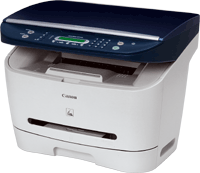
Canon LaserBase MF3110 Driver Description for Windows
LaserBase MF3110 MFDrivers (CARPS / ScanGear): Precaution When Using a USB Connection. Disconnect the USB cable that connects the device and computer before installing the driver. Connect the USB cable after installing the driver. Driver and application software files have been compressed. The following instructions show you how to download the compressed files and decompress them.
To download files, click the file link, click [Accept & Download], then select [Save] and specify the directory where you want to save the file. Click [Save] to start the file download.
Downloaded files are saved in the specified folder in a self-extracting format (.exe format).
Double-click the files to decompress them. A new folder will be created in the same folder.The new folder will have the same name as the compressed file.
Double-click the decompressed Setup.exe file to start installation.
Patch for Network Scan, USB Scan: This patch resolves an issue that prevents scanning over a network or with a USB connection after upgrading Windows to a newer version. If you cannot scan over a network or with a USB connection, install this patch. If installing (or reinstalling) the MF driver, be sure to first restart (not shut down) your PC after driver installation is complete, and then install this patch. If you are using USB scan, be aware that it may cease functioning after any future upgrades to Windows. If this occurs, install this patch again. After installing this patch, if the message prompting you to restart your PC is displayed, restart (not shut down) your PC.