Download Canon PIXMA MX394 Driver for Windows 11/10/10 x64/8.1/8.1 x64/8/8 x64/7/7 x64/Vista/Vista64/XP and Driver for MAC (11, 10.15, 10.14, 10.13, v10.12.1, v10.11, v10.10, v10.9, v10.8, v10.7) and Driver for Fedora 17-openSUSE 12.2-Ubuntu 12.04(32bit/64bit)
MX390 series MP Drivers, MX390 series XPS Printer Driver for Windows- ICA Driver, MX390 series CUPS Printer Driver for Mac- IJ Printer Driver for Linux
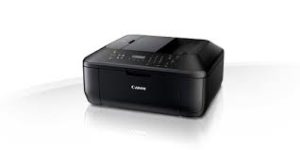
Canon Pixma MX394 is a multifunctional printer. This printer can print, copy, scan and fax. It can be easily used from many devices thanks to its USB connection. This compact printer is an inkjet printer that can print in color and has a maximum print resolution of 4800×1200 dpi.
Canon PIXMA MX394 Series Printer Driver for Windows
| Driver Name | Version | Release date | File Size | Operating systems | Download Link |
| MX390 series MP Drivers | 1.00 | 10-15-2021 | 27.2 MB | Windows 11/10/10 x64/8.1/8.1 x64/8/8 x64/7/7 x64/Vista/Vista64/XP | Download |
| MX390 series XPS Printer Driver | 5.65 | 15 Oct, 2021 | 24.0 MB | Windows 11/10 (32bit)/10 (64bit)/8.1/8.1 x64/8/8 x64/7/7 x64/Vista/Vista64 | Download |
MX390 series MP Drivers: This file is a driver for Canon IJ multifunction printers.
You can install the following items of the software:
MP Drivers: The driver for Canon IJ multifunction printer.
IJ Scan Utility: The software that allows you to easily scan photos, documents, etc.
Installation
- Click the link, select [ Save ], specify “Save As”, then click [ Save ] to download the file.
Memo :
If you select [ Run ] ( or [ Open ] ) instead of [ Save ], the file will be automatically installed after it is saved. - The downloaded file will be saved in the specified place in the self-extracting form ( .exe format ).
- Double-click the downloaded EXE file to decompress it, then installation will start automatically.
Uninstall
If needed, you can uninstall this program using the Control Panel.
- On the Start menu, click Control Panel, and then, under Programs click Uninstall a Program
- A page will open with a list of installed programs. Double click on the program that you want to uninstall.
- Click “Yes” then “OK”, this will complete the uninstallation process.
MX390 series XPS Printer Driver: This file is a printer driver for Canon IJ printers. XPS printer drivers support 16-bpc printing, which enables more smooth gradation printing than the current drivers (8-bpc printing).
Canon PIXMA MX394 Printer Driver for MAC
Operating Systems: MacOS Big Sur 11, macOS Catalina 10.15, macOS Mojave 10.14, macOS High Sierra 10.13, macOS Sierra v10.12.1 or later, OS X El Capitan v10.11, OS X Yosemite v10.10, OS X Mavericks v10.9, OS X Mountain Lion v10.8, OS X Lion v10.7
| Driver Name | Version | Release date | File Size | Operating systems | Download Link |
| ICA Driver | 5.0.0 | 07-29-2022 | 3.1 MB | macOS 11 (Big Sur) | Download |
| MX390 series CUPS Printer Driver | 16.40.1.0a | 09-09-2021 | 13.0 MB | macOS 11, 10.15, 10.14, 10.13, v10.12.1, v10.11, v10.10, v10.9, v10.8, v10.7 | Download |
Canon PIXMA MX394 Printer Driver for Linux
Operating Systems: Fedora 17(32bit/64bit), openSUSE 12.2(32bit/64bit), Ubuntu 12.04(32bit/64bit)
| Driver Name | Version | Release date | File Size | Download Link |
| IJ Printer Driver | 3.90 | 12 December 2013 | 6.1 MB | Download |