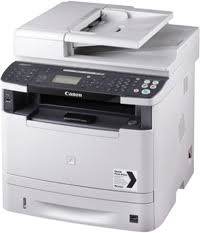
Canon i-SENSYS MF5940dn Printers
Lite Plus PCL6 Printer Driver
Details
The Lite Plus PCL6 Printer Driver has been designed to address the requirements of Canon customers who use Canon printers in a Citrix & other thin client network environments. It has been designed with a small memory footprint, network optimization & scalability as the primary design features from inception. It provides functionality for the most common printing requirements. The driver supports Canon printers ranging from the Single Function Printers (SFP) up to the higher end office colour Multifunctional Peripherals (MFG). Finishing features such as stapling, hole punch, booklet printing and tray selection are supported in this driver.
Windows 10 (32-bit)
Windows 10 (64-bit)
Windows 8.1 (32-bit)
Windows 8.1 (64-bit)
Windows 7 (32-bit)
Windows 7 (64-bit)
Windows Vista (32-bit)
Windows Vista (64-bit)
Windows XP (32-bit)
Download Canon imageRUNNER C1325iF Printer Driver for Windows11-10-8.1 32bit-64bit
imageRUNNER C1335iF/C1335iFC/C1325iF MFDrivers (UFR II / PCL / PS3 / FAX / ScanGear), Generic Plus PCL6 Printer Driver
Canon Imagerunner c1325if Printer
Canon Imagerunner c1325if Driver for Windows
Compatibility Systems: Windows 11, Windows 10 (32bit), 10 (64bit), Windows 8.1 (32bit), 8.1 (64bit), Windows 8 (32bit), 8 (64bit), Windows 7 (32bit), 7 (64bit), Vista (32bit), Vista (64bit),XP, WinXP (64bit)
*Precaution When Using a USB Connection Disconnect the USB cable that connects the device and computer before installing the driver. Connect the USB cable after installing the driver.
Drivers and applications are compressed.
Download / Installation Procedures
Download the file. For the location where the file is saved, check the computer settings.
Double-click the downloaded EXE file to decompress it, then installation will start automatically.
Generic Plus PCL6 Printer Driver: This is a package-aware driver. Some limitations exist when using this driver in a point-and-print environment; please check the [Important Information] tab before using.*
The Canon-developed Generic Plus PCL6 Printer Driver is a common driver that supports multiple Canon devices. It provides an optimal user interface for your device.
Canon i-SENSYS MF9220Cdn Driver for MAC
Version: v10.6.0 Operating systems: Mac OS X 10.5, Mac OS X 10.6, Mac OS X 10.7, OS X 10.8, OS X 10.9, OS X 10.10 Languages: English Download Release date: 10/29/2014
This software is a module that expands the functionality of the printer driver for Canon Inkjet printers. Your printer must be installed via Microsoft Update before you download and use this module. By installing this software, you can use the printer driver to set up compensation and processing functions for image data such as photographs.