Printer Driver Optimization Module for AutoCAD Version 1.17 for Windows x64
Details
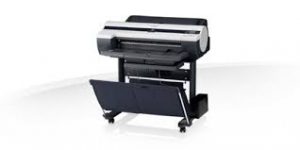
The Printer Driver Optimization Module for AutoCAD is software for optimally controlling printing from CAD-use software -AutoCAD- of Autodesk, Inc. with imagePROGRAF.
The Canon-developed Generic Plus PCL6 Printer Driver is a common driver that supports multiple Canon devices. It provides an optimal user interface for your device.
It has Auto Photo Fix II, Document Print, Full HD Movie Print, Custom Filters, My Image Garden, Photo Print, Red Eye Correction. Quiet mode operation is preferred for home. It can print 8.0 images per minute (ipm) for Black and 4.0 images per minute (ipm) for Color
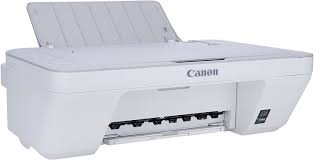
Canon PIXMA MG2410 Printer Driver for Windows
Compatibility Systems: Windows 11, Windows 10 (32bit), 10 (64bit), Windows 8.1 (32bit), 8.1 (64bit), Windows 8 (32bit), 8 (64bit), Windows 7 (32bit), 7 (64bit)
MG2400 series Full Driver & Software Package: This file will download and install the drivers, application or manual you need to set up the full functionality of your product.
Download – Installation Procedures ***Be sure to connect your PC to the Internet while performing the following:
Click the link, select [ Save ], specify “Save As”, then click [ Save ] to download the file.
The downloaded file will be saved in the specified place in the self-extracting form (.exe format ).
Double-click the downloaded .exe file. It will be decompressed and the Setup screen will be displayed. Follow the instructions to install the software and perform the necessary settings.
Canon Pixma MG7700 Driver for Windows
Ver. 1.0.2 Name: m68n-win-mg7700-1_00-ea34_2.exe Released: 4 October, 2021 Compatible systems: Windows 11 – Windows 10 32bit – Windows 10 64bit – Windows 8.132bit – Windows 8.1 64bit – Windows 8 32bit – Windows 8(64bit) – Windows 7 32bit – Windows 7 64bit – Vista – Vistax64 Download Size: 38.25 MB