Canon Pixma G4670 Driver for MAC OS 26, 15, 14, 13, 12, 11, 10.15, 10.14, 10.13, v10.12, v10.11, v10.10, v10.9, v10.8
G4000 series CUPS Printer Driver, ICA Driver for MACINTOSH
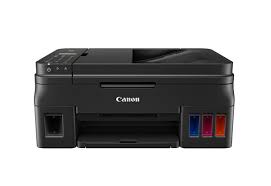
Canon PIXMA G4670 Printer Driver for MAC
Operating Systems: macOS Tahoe 26, macOS Sequoia 15, macOS Sonoma 14, macOS Ventura 13, Monterey 12, macOS Big Sur 11, macOS Catalina 10.15, macOS Mojave 10.14, macOS High Sierra 10.13, macOS Sierra v10.12.1 or later, OS X El Capitan v10.11, OS X Yosemite v10.10, OS X Mavericks v10.9, OS X Mountain Lion v10.8.5, OS X Lion v10.7.5
| Driver Name | Version | Release date | File Size | Operating systems | Download Link |
| G4000 series CUPS Printer Driver | 30.10.1.0 | 10-Mar-2026 | 15.65 MB | macOS 26, 15, 14, 13, 12, 11 | Download |
| G4000 series Full Driver & Software Package | 1.3 | 1 Apr 2020 | 10.56 MB | macOS 10.15, macOS 10.14, 10.13, v10.12, v10.11, v10.10, v10.9, v10.8 | Download |
| ICA Driver | 4.3.4a | 29 Jul 2022 | 2578464 KB | macOS 10.15, 10.14, 10.13, v10.12, v10.11, v10.10, v10.9, v10.8.5 | Download |
| ICA Driver | 5.0.0 | 21 Oct 2022 | 3857061 KB | macOS 13, macOS 12, macOS 11 | Download |
G4000 series CUPS Printer Driver: This driver will provide full printing functionality for your product.
Installation
- Download the file. For the location where the file is saved, check the computer settings.
- Double-click the downloaded file and mount it on the Disk Image.
- Double-click the mounted Disk Image.
- Double-click the packaged file in the folder. Installation starts automatically.
G4000 series Full Driver & Software Package: This file will download and install the drivers, application or manual you need to set up the full functionality of your product.
Setup Instructions
Download / Installation Procedures
1. Download the file. For the location where the file is saved, check the computer settings.
2. Double-click the downloaded file and mount it on the Disk Image.
3. Double-click the mounted Disk Image.
4. Double-click the “Setup” file to launch the setup screen. By following the instructions on the screen, install the software and do the connection settings for your product.
ICA Driver: This driver will provide full scanning functionality for your product.
Setup
- Download the file. For the location where the file is saved, check the computer settings.
- Double-click the downloaded file and mount it on the Disk Image.
- Double-click the mounted Disk Image.
- Double-click the packaged file in the folder. Installation starts automatically.