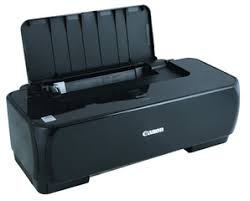
iP1800 series Printer Driver: This file is a printer driver for Canon IJ printers.
Download – Installation Procedures 1. Click the link, select [ Save ], specify “Save As”, then click [ Save ] to download the file. Memo: If you select [ Run ] ( or [ Open ] ) instead of [ Save ], the file will be automatically installed after it is saved. 2. The downloaded file will be saved in the specified place in the self-extracting form ( .exe format ). 3. Double-click the downloaded EXE file to decompress it, then installation will start automatically.
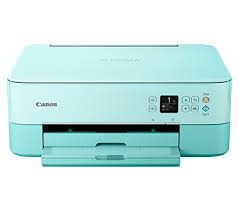
Download Canon PIXMA TS5370 Printer Driver for Windows 11-10-8.1-7 (32bit/64-bit)
Canon TS5300 series Driver setup package and MP Driver for Microsoft Windows
Printer Canon PIXMA TS5370
This file will download and install the driver needed to set up and utilize your product. Once complete, you will be able to install software to enhance the product’s functionality.
Canon PIXMA TS5370 Printer Driver for Windows
Compatible Systems: Windows 11, Windows 10 (32bit), 10 (64bit), Windows 8.1 (32bit), Windows 8.1 (64bit),Windows 7 (32bit), 7 (64bit)
Canon PIXMA TS5300 Series Printer Driver Description for Windows
This file will download and install the driver needed to set up and utilize your product. Once complete, you will be able to install software to enhance the product’s functionality.
Download
Download the file. For the location where the file is saved, check the computer settings.
Double-click the downloaded .exe file. It will be decompressed and the Setup screen will be displayed. Follow the instructions to install the software and perform the necessary settings.
Canon PIXMA TS5370 Printer Driver for MAC
Operating Systems: macOS Mojave 10.14, macOS High Sierra 10.13, macOS Sierra v10.12, OS X El Capitan v10.11.6
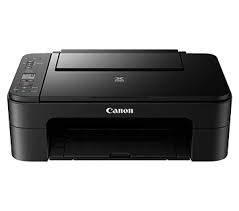
Canon Pixma E3300 Compact Wireless All-In-One with LCD Driver Download for Windows 11/10/8.1/7 32bit-64bit
E3300 series Driver setup package-E3300 series MP Drivers for Microsoft Windows IJ Printer Driver for Linux Fedora 30(32bit/64bit) – Ubuntu 19.04 (64bit)
Printer Canon Pixma E3300
Scan, Print, Copy- (Pixma E Series Printer). ISO standard print speed,A4: 7.7ipm black / 4.4ipm colour. Hi-speed USB 2.0, Wireless, Wireless Pictbridge, Mopria, AirPrint, Wireless Direct.
Canon PIXMA E3300 Printer Driver for Windows
Compatibility Systems: Windows 11, Windows 10 (32bit), 10 (64bit), Windows 8.1 (32bit), 8.1 (64bit), Windows 7 (32bit), 7 (64bit)
E3300 series Driver setup package: This file will download and install the driver needed to set up and utilize your product. Once complete, you will be able to install software to enhance the product’s functionality.
Download / Installation Procedures IMPORTANT: Be sure to connect your PC to the Internet while performing the following:
Download the file. For the location where the file is saved, check the computer settings.
Double-click the downloaded .exe file. It will be decompressed and the Setup screen will be displayed. Follow the instructions to install the software and perform the necessary settings.
E3300 series MP Drivers: This driver will provide full printing and scanning functionality for your product.
Download / Installation Procedures
Download the file. For the location where the file is saved, check the computer settings.
Double-click the downloaded EXE file to decompress it, then installation will start automatically.
IJ Printer Driver: This software is a source file for the Linux printer drivers.
Install the downloaded package archive file as an Administrator following the manual. For how to install and use this software, refer to the instruction manual.