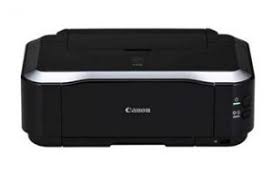
Download Canon PIXMA iP3680 Printer Driver for Windows 10 x64/8.1 x64/8 x64/Vista64
iP3600 series Printer Driver for Microsoft Windows
PIXMA iP3680 Printer
Windows 64bit Driver Canon PIXMA iP3680
Version : 2.56 Relased: 22 Jul, 2015 File name : pd64-win-ip3600-2_56-ea24.exe Operating Systems: Windows 10 (64bit), Windows 8.1(64bit), Windows 8(64bit), Windows Vista(64bit) Download Size : 13.58 MB
Canon PIXMA iP3680 Driver Windows 32bit
File name : pd86-win-ip3600-2_56-ea24.exe Version : 2.56 OS: Windows 10, Windows 8.1, Windows 8, Windows Vista, Windows XP Download Size : 13.01 MB
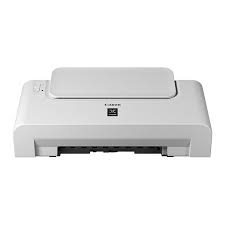
Download Canon Pixma IP2500 Driver (64-Bit)
File version: 2.05 Post date: 16 October 2013 File name: ip2500svst64205ea23.exe Compatibility Systems: Windows 8.1 (64bit), Windows 8 (64bit), Windows Vista (64bit) Download Size: 8.99 MB
Canon imageRUNNER ADVANCE C7580i Printer Driver Download for Windows 11-10 32bit-64bit
Generic Plus PCL6 Printer Driver-Generic UFR II V4 Printer Driver- Color Network ScanGear (Windows)
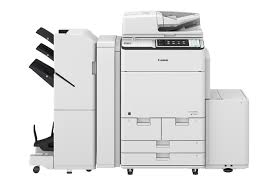
Canon imageRUNNER ADVANCE C7580i II MFP
Canon imageRUNNER ADVANCE C7580i II is an all-in-one (Copy-Printer-Scan-fax) printer that can greatly increase your work speed.
First, the printer’s incredible versatility makes it ideal for enterprise-level offices. It can also be easily used in marketing departments, university photocopy stores and self-service. It integrates with intuitive software and services to provide a high-speed yet reliable color solution for a variety of environments, such as libraries.
If you have a small or medium-sized business and want a device suitable for intensive workflow, the imageRUNNER ADVANCE C7580i II will be the right choice for you.
It can print 80 pages per minute in black and white and 70 pages in color. Its resolution is determined as 2400 x 2400 dpi.
Also includes a 300-sheet Single Pass Duplex Automatic Document Feeder.
Canon imageRUNNER C7580i Driver Download for Windows
Compatibility Systems: Windows 11, Windows 10 (32bit), 10 (64bit)
Canon imageRUNNER C7580i Driver Description for Windows
Generic Plus PCL6 Printer Driver: This is a package-aware driver. Some limitations exist when using this driver in a point-and-print environment; please check the [Important Information] tab before using.
The Canon-developed Generic Plus PCL6 Printer Driver is a common driver that supports multiple Canon devices. It provides an optimal user interface for your device.
SETUP
Precaution When Using a USB Connection Disconnect the USB cable that connects the device and computer before installing the driver. Connect the USB cable after installing the driver.
Driver and application software files have been compressed. The following instructions show you how to download the compressed files and decompress them.
To download files, click the file link, select [Save], and specify the directory where you want to save the file. The download will start automatically.
Downloaded files are saved in the specified folder in a self-extracting format (.exe format).
Double-click the files to decompress them. A new folder will be created in the same folder. The new folder will have the same name as the compressed file.
Double-click the decompressed Setup.exe file to start installation.
Color Network ScanGear
Driver and application software files have been compressed. The following instructions show you how to download the compressed files and decompress them.
To download files, click the file link, select [Save], and specify the directory where you want to save the file.The download will start automatically.
Downloaded files are saved in the specified folder in a self-extracting format (.exe format).
Double-click the files to decompress them. A new folder will be created in the same folder.The new folder will have the same name as the compressed file.
Double-click the decompressed Setup.exe file to start installation.