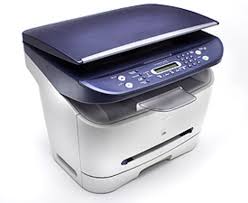
Download Canon LaserBase MF3110 Printer Driver for Windows 10-8.1-8 (32bit/64bit)
LaserBase MF3110 MFDrivers (CARPS / ScanGear)/Patch for Network Scan, USB Scan/MF3110 MF Drivers
This patch resolves an issue that prevents scanning over a network or with a USB connection after upgrading Windows to a newer version. If you cannot scan over a network or with a USB connection, install this patch. If installing or reinstalling the MF driver, be sure to first restart (not shut down) your PC after driver installation is complete, and then install this patch. If you are using USB scan, be aware that it may cease functioning after any future upgrades to Windows. If this occurs, install this patch again. After installing this patch, if the message prompting you to restart your PC is displayed, restart -not shut down- your PC. (If you do not restart your PC, this patch will not take effect.)
Canon LaserBase MF3110 Printer Driver for Windows
Compatible Systems: Windows 11, Windows 10 (32bit), 10 (64bit), Windows 8.1 (32bit), 8.1 (64bit), Windows 8 (32bit), 8 (64bit), Windows 7 (32bit), 7 (64bit), Vista (32bit), Vista (64bit)
| Driver Name | Version | Release date | File Size | Operating systems | Download Link |
| LaserBase MF3110 MFDrivers (CARPS / ScanGear) | V3.00 | 16 July 2015 | 11.1 MB | Windows 10 (32-bit)- 8.1 (32-bit)- 8 (32-bit)- 7 (32-bit)- Vista (32-bit) | Download |
| Patch for Network Scan, USB Scan | 2016004 | 10 Nov, 2021 | 36.68 MB | Windows 10 (32-bit)- 8.1 (32-bit)- 8 (32-bit) | Download |
| MF3110 MF Drivers | V3.00 | 22 Dec, 2009 | 10 MB | Windows 7 (32-bit) | Download |
| MF8180C MFDrivers | V3.01 | 6 Dec, 2021 | 10.33 MB | Windows 11, 10 (64-bit), 8.1 (64-bit) , 8 (64-bit), 7 (64-bit) | Download |
LaserBase MF3110 MFDrivers (CARPS / ScanGear): Driver Version : CARPS Printer Driver – V3.00, ScanGear – V11.3
*Precaution When Using a USB Connection
Disconnect the USB cable that connects the device and computer before installing the driver.
Connect the USB cable after installing the driver.
Driver and application software files have been compressed.
The following instructions show you how to download the compressed files and decompress them.
- To download files, click the file link, click [Accept & Download], then select [Save] and specify the directory where you want to save the file. Click [Save] to start the file download.
- Downloaded files are saved in the specified folder in a self-extracting format (.exe format).
- Double-click the files to decompress them. A new folder will be created in the same folder.The new folder will have the same name as the compressed file.
- Double-click the decompressed Setup.exe file to start installation.
Patch for Network Scan, USB Scan: This patch resolves an issue that prevents scanning over a network or with a USB connection after upgrading Windows to a newer version.
If you cannot scan over a network or with a USB connection, install this patch.
If installing (or reinstalling) the MF driver, be sure to first restart (not shut down) your PC after driver installation is complete, and then install this patch. If you are using USB scan, be aware that it may cease functioning after any future upgrades to Windows. If this occurs, install this patch again. After installing this patch, if the message prompting you to restart your PC is displayed, restart (not shut down) your PC.
If you do not restart your PC, this patch will not take effect.