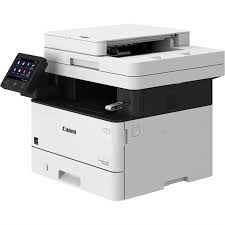
Canon i-SENSYS MF443dw Printer Description for Linux
CQue DEB Driver: This driver is packaged for use with RedHat, Fedora, SUSE, Mandriva and other Linux systems. This driver is for 64 bit versions of Linux operating systems. The CQue driver facilitates the creation and configuration of printer queues on Linux workstations or servers, allowing access to all features of Canon devices (iR, CLC, MF, LBP).
Canon Color imageCLASS LBP622Cdw Printer Driver for Windows 10/8.1/8/7 (32bit-64bit)
Generic Plus UFR II Printer Driver for Microsoft Windows
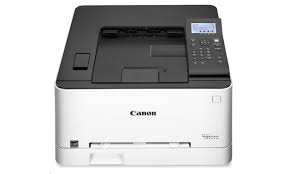
Color imageCLASS LBP622Cdw
The imageCLASS LBP622Cdw -Wireless, Mobile Ready, Duplex Laser Printer, Compact Size. Print on the go with various mobile solutions, including Apple Air Print. Designed for small print jobs with first print time as fast as 10. Helps mitigate risk of confidential information loss as documents are only stored in short term memory.
Canon LBP622Cdw Driver for Windows (64-bit)
Compatibility Systems: Windows 11, Windows 10 (32bit), 10 (64bit)
Color imageCLASS LBP622Cdw Driver Description for Windows
Generic Plus PCL6 Printer Driver: The Canon-developed Generic Plus PCL6 Printer Driver is a common driver that supports multiple Canon devices. It provides an optimal user interface for your device.
Generic FAX Driver: This is a package-aware driver. Some limitations exist when using this driver in a point-and-print environment; please check the [Important Information] tab before using.
Precaution When Using a USB Connection Disconnect the USB cable that connects the device and computer before installing the driver. Connect the USB cable after installing the driver.
Driver and application software files have been compressed. The following instructions show you how to download the compressed files and decompress them.
To download files, click the file link, select [Save], and specify the directory where you want to save the file. The download will start automatically.
Downloaded files are saved in the specified folder in a self-extracting format (.exe format).
Double-click the files to decompress them. A new folder will be created in the same folder. The new folder will have the same name as the compressed file.
Double-click the decompressed Setup.exe file to start installation.
Canon imageCLASS LBP312dn Driver for Windows
File Version : V30.30 Relased: March 7, 2019 File name: UFRII_Driver_V3030_W64_usEN_02.exe Operating Systems: Windows 10 (64-Bit), Windows 8.1 (64-Bit), Windows 8 (64-Bit), Windows 7 (64-Bit), Vista (64-Bit) Download Size : 25.75 MB
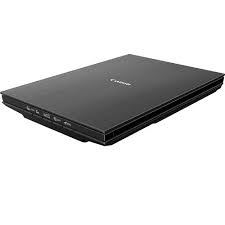
Canon CanoScan Lide 400 Scanner Driver Description for Windows
CanoScan LiDE 300 Scanner Driver:
This file is a TWAIN-compliant scanner driver for Canon color image scanner. You can install the following items of the software: ScanGear: The TWAIN-compliant scanner driver for Canon color image scanner. IJ Scan Utility: The software that allows you to easily scan photos, documents, etc.
Canon CanoScan Lide 400 Driver for Linux
Operating systems: Linux 32bit- Linux 64bit – Fedora 28(32bit/64bit) – Ubuntu 18.04(32bit/64bit)