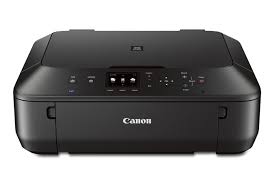
Download Canon PIXMA MG5522 Printer Driver for MAC 10.15-10.14-10.13-10.12-10.11-10.10
MG5500 series CUPS Printer Driver (Mac)
Printer Canon PIXMA MG5522
Canon PIXMA MG5522 Driver for MAC
Version: 16.40.1.0a File Name: mcpd-mac-mg5500-16_40_1_0-ea21_3.dmg Released: 9 Sep, 2021 Compatible systems: macOS Catalina 10.15- macOS Mojave 10.14- macOS High Sierra 10.13- macOS Sierra v10.12.1 or later OS X El Capitan v10.11 OS X Yosemite v10.10- OS X Mavericks v10.9 -OS X Mountain Lion v10.8.5- OS X Lion v10.7.5 Download Size: 16MB
Canon PIXMA MG5522 MP Driver for Windows
Version: 1.02 Name: mp68-win-mg5500-1_02-ejs.exe Release Date: Oct 4, 2021 Compatible Systems: Windows 11, Windows 10 (32-bit)- Windows 10 (64-bit) -Windows 8.1 (32-bit)- Windows 8.1 (64-bit) -Windows 8 (32-bit)- Windows 8 (64-bit)- Windows 7- Windows 7 (64-bit) – Vista – Vista (64-bit) Download Size: 19.8MB
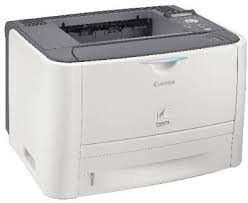
Download Canon i-SENSYS LBP3370DN Printer Driver for Windows and MAC
Generic PCL6 Printer Driver, PCL6 Printer Driver for Microsoft Windows
UFR II/UFRII LT Printer Driver & Utilities for Macintosh
Canon i-SENSYS LBP3370DN
The i-Sensys LBP 3370 monochrome laser printer has a maximum print resolution of 2400×600 dpi (600 x 600 dpi) with AIR smoothing. It has A4 laser printing technology and the print speed is 26 ppm in A4.
Canon i-SENSYS LBP3370DN Driver Download for Windows
Compatibility Systems: Windows 11, Windows 10 (32bit), 10 (64bit), Windows 8.1 (32bit), 8.1 (64bit), Windows 8 (32bit), 8 (64bit), Windows 7 (32bit), 7 (64bit)
Canon i-SENSYS LBP3370DN Driver Description for Windows
Generic PCL6 Printer Driver: This is a package-aware driver. Some limitations exist when using this driver in a point-and-print environment; please check the [Important Information] tab before using.
Driver and application software files have been compressed. The following instructions show you how to download the compressed files and decompress them.
To download files, click the file link, select [Save], and specify the directory where you want to save the file. The download will start automatically.
Downloaded files are saved in the specified folder in a self-extracting format (.exe format).
Double-click the files to decompress them. A new folder will be created in the same folder. The new folder will have the same name as the compressed file.
Double-click the decompressed Setup.exe file to start installation.
PixmaMX490 series CUPS Printer Driver: This is a printer driver for your selected model. For an enhanced user experience we also recommend installing My Image Garden software.
install
1. Download the file. For the location where the file is saved, check the computer settings. 2. Double-click the downloaded file and mount it on the Disk Image. 3. Double-click the mounted Disk Image.
Canon PIXMA MX490 Printer Driver for Windows
Compatibility Systems: Windows 11, Windows 10 (32bit), 10 (64bit), Windows 8.1 (32bit), 8.1 (64bit), Windows 8 (32bit), 8 (64bit), Windows 7 (32bit), 7 (64bit)