Download Canon MAXIFY MB5360 Printer Driver for Windows 11-10-8.1-8-7-Vista (32bit-64bit)- Driver for MAC (macOS 11, 10.15, 10.14, 10.13, v10.12, v10.11, v10.10, v10.9, v10.8, v10.7)- Driver for Ubuntu
MB5300 series MP Drivers- MB5300 series XPS Printer Driver and MB5300 series Full Driver & Software Package for Microsoft Windows ICA Driver and MB5300 series CUPS Printer Driver for MAC IJ Printer Driver for Linux
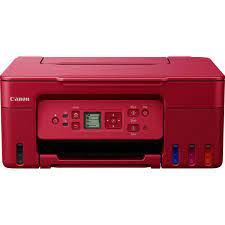
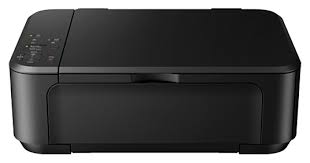
Canon MAXIFY Printer MB5360
The printer has separate cartridges for each color. It has an automatic feeder for scanning or copying. Can send fax without PC. It has Ethernet, Wi-Fi, USB connection. Can print Emailed items from mobile devices over Wi-Fi. There is a preview screen.
Canon MAXIFY MB5360 Printer Driver for Windows
Compatibility Systems: Windows 11, Windows 10 (32bit), 10 (64bit), Windows 8.1 (32bit), 8.1 (64bit), Windows 8 (32bit), 8 (64bit), Windows 7 (32bit), 7 (64bit), Vista (32bit), Vista (64bit),XP, WinXP (64bit)
Driver Name
Version
Release date
File Size
Operating systems
Download Link
MB5300 series MP Drivers
1.04
15 Oct 2021
33525380 KB
Windows 11 – Windows 10-10×64 – Windows 8.1-8.1×64 – Windows 8-8×64 – Windows 7-7×64 – Vista- Vistax64- XP
Canon MAXIFY MB5360 Driver Description for Windows
MB5300 series MP Drivers: This is a driver that will provide full functionality for your selected model. It also allows you to set-up your printer for printing and scanning wirelessly. A version of this standard driver will have been included on the CD provided with your original product.
Download / Installation Procedures
Download the file. For the location where the file is saved, check the computer settings.
Double-click the downloaded EXE file to decompress it, then installation will start automatically.
MB5300 series XPS Printer Driver: This is an advanced printer driver. XPS printer drivers supports 16-bits per color (bpc) printing, which enables more smooth gradation printing than the current drivers (8-bpc printing).
MB5300 series Full Driver & Software Package: This is an online installation software to help you to perform initial setup of your product on a PC (either USB connection or network connection) and to install various software.
Download / Installation Procedures
Download the file. For the location where the file is saved, check the computer settings.
Double-click the downloaded .exe file. It will be decompressed and the Setup screen will be displayed. Follow the instructions to install the software and perform the necessary settings.
Canon MAXIFY MB5360 Printer Driver for MAC
Operating Systems: MacOS Catalina 10.15, macOS Mojave 10.14, macOS High Sierra 10.13, macOS Sierra v10.12.1 or later, OS X El Capitan v10.11, OS X Yosemite v10.10, OS X Mavericks v10.9, OS X Mountain Lion v10.8.5, OS X Lion v10.7.5
Driver Name
Version
Release date
File Size
Operating systems
Download Link
ICA Driver
4.1.3a
29 Jul 2022
2734280 KB
macOS 10.15, 10.14, 10.13, v10.12.1, OS X v10.11, OS X v10.10, OS X v10.9, OS X v10.8.5, OS X v10.7.5
Download Canon imageRUNNER ADVANCE C356i III Printer Driver for Windows 11-10-8.1-7 (64bit), for MAC (14, 13, 12, 11, 10.15, 10.14)
Generic Plus PCL6 Printer Driver, Generic PCL6 V4 Printer Driver
PS Printer Driver & Utilities, UFR II/UFRII LT Printer Driver & Utilities, Fax Driver & Utilities for MAC
Canon imageRUNNER ADVANCE C356i III MFP
Canon imageRUNNER ADVANCE C356i III Printer Driver for Windows
Compatibility Systems: Windows 11, Windows 10 (32bit), 10 (64bit), Windows 8.1 (32bit), 8.1 (64bit), Windows 8 (32bit), 8 (64bit), Windows 7 (32bit), 7 (64bit), Vista (32bit), Vista (64bit),XP, WinXP (64bit)
Canon imageRUNNER ADVANCE C356i III Driver Description for Windows
Generic Plus PCL6 Printer Driver: The Canon-developed Generic Plus PCL6 Printer Driver is a common driver that supports multiple Canon devices. It provides an optimal user interface for your device.
Generic Plus PS3 Printer Driver: This is a Canon-developed Generic Plus PS3 Printer Driver. This is a generic printer driver that supports various Canon devices. You can use the same driver for all printer models by changing the settings for the printing port and device information.
Generic PCL6 V4 Printer Driver: This is the Generic PCL6 V4 Printer Driver. Access the various printing functions of Canon devices from the print settings screen of this driver. To use the Canon specific print settings of this driver with apps, you should also install the Canon Office Printer Utility which is available from the Windows Store.
Generic FAX Driver: Disconnect the USB cable that connects the device and computer before installing the driver. Connect the USB cable after installing the driver. Driver and application software files have been compressed. The following instructions show you how to download the compressed files and decompress them.
To download files, click the file link, select [Save], and specify the directory where you want to save the file.The download will start automatically.
Downloaded files are saved in the specified folder in a self-extracting format (.exe format).
Double-click the files to decompress them. A new folder will be created in the same folder. The new folder will have the same name as the compressed file.
Double-click the decompressed Setup.exe file to start installation.
Canon imageRUNNER ADVANCE C356i III Printer Driver for MAC
Operating Systems: macOS 14 (Sonoma), macOS Ventura 13, Monterey 12, macOS Big Sur 11, macOS Catalina 10.15, macOS Mojave 10.14