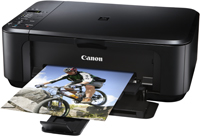
Canon Pixma MG3530 Driver Download for Windows 11/10/8.1/8/7 (32bit/64bit)
Print Driver and Scan Utility Installer/ MG3500 series XPS Printer Driver for Microsoft Windows
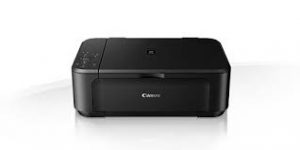
Canon PIXMA MG3530 Drivers Download for Windows
Compatibility Systems: Windows 11, Windows 10 (32bit), 10 (64bit), Windows 8.1 (32bit), 8.1 (64bit), Windows 8 (32bit), 8 (64bit), Windows 7 (32bit), 7 (64bit)
| Driver Name | Version | Release date | File Size | Download Link |
| Print Driver and Scan Utility Installer | 1.01 | Nov 14, 2023 | 19.13 MB | Download |
| MG3500 series XPS Printer Driver | 5.70 | Oct 4, 2021 | 13.10 MB | Download |
Download / Installation Procedures
IMPORTANT: Be sure to connect your PC to the Internet while performing the following:
- Click the link, select [ Save ], specify “Save As”, then click [ Save ] to download the file.
- The downloaded file will be saved in the specified place in the self-extracting form (.exe format ).
- Double-click the downloaded .exe file. It will be decompressed and the Setup screen will be displayed. Follow the instructions to install the software and perform the necessary settings.
MG3500 series XPS Printer Driver:
This is an advanced printer driver. XPS printer drivers supports 16-bits per color (bpc) printing, which enables more smooth gradation printing than the current drivers (8-bpc printing).
Download / Installation Procedures
1. Click the link, select [ Save ], specify “Save As”, then click [ Save ] to download the file.
*If you select [ Run ] ( or [ Open ] ) instead of [ Save ], the file will be automatically installed after it is saved.
The downloaded file will be saved in the specified place in the self-extracting form ( .exe format ).
2. The downloaded file will be saved in the specified place in the self-extracting form ( .exe format ).
3. Double-click the downloaded EXE file to decompress it, then
This is an online installation software to help you to perform initial setup of your printer on a PC (either USB connection or network connection) and to install various software.