Download Canon PIXMA G3411 Printer Driver for Ubuntu 32bit/64bit & Linux 32bit/64bit
IJ Printer Driver for Linux (Source file)
IJ Printer Driver
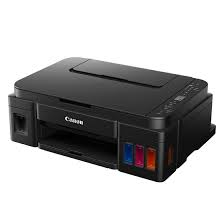
Canon PIXMA G3411 is an inkjet printer. It can produce color and black and white prints. It has high capacity ink tanks and allows you to print for a long time. This way, you can reduce ink costs. You can also easily print from computers, smartphones and tablets via Wi-Fi.
Canon PIXMA G3411 Printer Driver for Linux
Operating Systems: Ubuntu 17.10(32bit/64bit) and Linux (32-bit) – Linux (64-bit)
| Driver Name | Version | Release date | File Size | Operating systems | Download Link |
| IJ Printer Driver for Linux (Source file) | 5.60 | 2 March 2018 | 1.1MB | Ubuntu 17.10(32bit/64bit) | Download |
| IJ Printer Driver | 5.60 | 02-03-2018 | 1.05MB | Linux (32-bit) Linux (64-bit) | Download |
This software is a source file for the Linux printer drivers.
Install the downloaded package archive file as an Administrator following the manual.
For how to install and use this software, refer to the instruction manual.
Canon PIXMA G3411 Printer Driver for Windows
Compatibility Systems: Windows 11, Windows 10 (32bit), 10 (64bit), Windows 8.1 (32bit), 8.1 (64bit), Windows 8 (32bit), 8 (64bit), Windows 7 (32bit), 7 (64bit)
| Driver Name | Version | Release date | File Size | Operating systems | Download Link |
| G3010 series Full Driver & Software Package | 1.1 | Feb 28, 2022 | 20.05 MB | Windows 11-10×64 – 8.1-8.1×64 -8-8×64 – 7-7×64 | Download |
SETUP
Download / Installation Procedures
Be sure to connect your PC to the Internet while performing the following:
- Download the file. For the location where the file is saved, check the computer settings.
- Double-click the downloaded .exe file. It will be decompressed and the Setup screen will be displayed. Follow the instructions to install the software and perform the necessary settings.