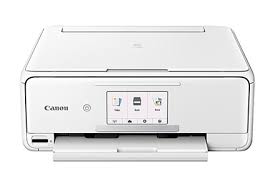
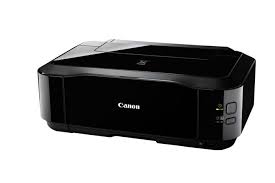
Canon PIXMA iP4900 Driver for Windows 10-8.1-8-7 (32bit-64bit)
Pixma iP4900 series Printer Driver, iP4900 series XPS Printer Driver (Windows)
Canon PIXMA iP4900 Series Printer
It has a maximum color print resolution of 9600 x 2400 dpi, ensuring detailed and sharp prints. The printer uses a five-color ink system, including four dye-based inks for vivid color prints and a pigment-based black ink for crisp text documents. The PIXMA iP4900 offers relatively fast printing speeds, capable of printing approximately 12.5 images per minute (ipm) for black and white documents and 9.3 ipm for color documents.
Canon PIXMA iP4920 Driver Description for WindowsPixma
iP4900 series Printer Driver: This file is a printer driver for Canon IJ printers.
SETUP
Download / Installation Procedures
1. Click the link, select [ Save ], specify “Save As”, then click [ Save ] to download the file. **If you select [ Run ] ( or [ Open ] ) instead of [ Save ], the file will be automatically installed after it is saved. 2. The downloaded file will be saved in the specified place in the self-extracting form ( .exe format ). 3. Double-click the downloaded EXE file to decompress it, then installation will start automatically.
Download Canon PIXMA MG8150 Driver for MAC OSX 10.12-10.11-10.10-10.9-10.8-10.7-10.6-10.5
MG8100 series CUPS Printer Driver & MG8100 series Scanner Driver for MACINTOSH
Canon Pixma MG8120 Printer
Canon makes the Canon PIXMA MG8150 photo printer. This particular type is a high-end inkjet printer renowned for its capacity to create printouts of excellent photos. The PIXMA MG8150 features six ink tanks and uses the ink colors red, yellow, cyan, pigment black, cyan, and black. This ink system is intended to produce photographs with crisp details, rich colors, and high resolution.
Canon PIXMA MG8150 Driver for MAC
Driver Name
Version
Release date
File Size
Operating systems
Download Link
MG8100 series CUPS Printer Driver
16.10.0.0b
09.09.21
15.1 MB
Monterey 12, Big Sur 11, Catalina 10.15, Mojave 10.14, High Sierra 10.13, Sierra v10.12.1, El Capitan v10.11, Yosemite v10.10, Mavericks v10.9, Mountain Lion v10.8, Lion v10.7