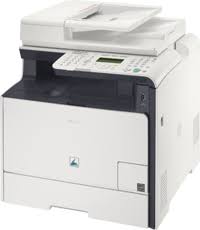
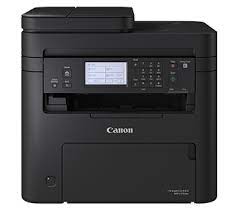
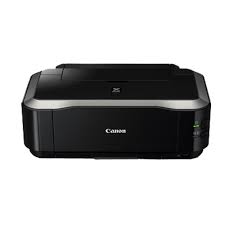
Canon PIXMA TR7620a Driver Download

Canon PIXMA TR7620a Driver for Windows 11-10-8.1-8-7 (32bit-64bit)

7600 series Driver setup package, 7600 series MP Driver (Windows)

Canon PIXMA TR7620a Driver
Canon PIXMA TR7620a Printer

Canon PIXMA TR7620a Driver for Windows

Driver NameVersionOperating systemsDownload Link
7600 series Driver setup package1.1Windows 11- Windows 10 (32bit)- Windows 10 (64bit)- Windows 8.1(32bit)- Windows 8.1(64bit)- Windows 7 SP1 or later(32bit)- Windows 7 SP1 or later(64bit)Download
7600 series MP Driver1.03Windows 11 – Windows10-10×64 – Windows 8.1-8.1×64 – Windows 7-7×64Download
Canon PIXMA TR7620a Driver Description for Windows

7600 series Driver setup package:

This file will download and install the driver needed to set up and utilize your product. Once complete, you will be able to install software to enhance the product’s functionality.

7600 series MP Driver:

This driver will provide full printing and scanning functionality for your product.

Download / Installation Procedures

1. Download the file. For the location where the file is saved, check the computer settings.
2. Double-click the downloaded EXE file to decompress it, then installation will start automatically.
Note: A message may be displayed during the installation depending on the OS you are using, but continue the installation.

Canon Pixma iX6520 Driver MAC

Canon Pixma iX6520 Driver for MacOS 12, 11, 10.15, 10.14, 10.13, v10.12.1, v10.11, v10.10, v10.9, v10.8.5, v10.7.5

iX6500 series CUPS Printer Driver for Macintosh

Canon Pixma iX6520 Driver MAC
Canon Printer Pixma iX6520

It provides a maximum resolution of 9600 x 2400 dpi so you can print documents and images in excellent quality. With the USB connection, you can easily connect to the computer. No available Wi-Fi connection. The Canon Pixma iX6520 can print approximately 8.8 pages per hour in color and approximately 11.3 pages in black and white.

Canon Pixma iX6520 Driver for MAC

Operating Systems: Monterey 12, macOS Big Sur 11, macOS Catalina 10.15, macOS Mojave 10.14, macOS High Sierra 10.13, macOS Sierra v10.12.1 or later, OS X El Capitan v10.11, OS X Yosemite v10.10, OS X Mavericks v10.9, OS X Mountain Lion v10.8.5, OS X Lion v10.7.5

Driver NameVersionRelease dateFile SizeOperating systemsDownload Link
iX6500 series CUPS Printer Driver16.40.1.0a25 Oct, 202114.98 MBmacOS 12, 11, 10.15, 10.14, 10.13, v10.12.1, v10.11, v10.10, v10.9, v10.8.5, v10.7.5Download
Canon Pixma iX6520 Driver Description for MAC

iX6500 series CUPS Printer Driver: This file is a printer driver for Canon IJ printers.

Download / Installation Procedures

1. Download the file. For the location where the file is saved, check the computer settings.
2. Double-click the downloaded file and mount it on the Disk Image.
3. Double-click the mounted Disk Image.
4. Double-click the packaged file in the folder. Installation starts automatically.

Canon PIXMA iP4920 Driver MAC

Download Canon PIXMA iP4920 Driver MAC OS 10.14, 10.13, v10.12.1, v10.11, v10.10, v10.9, v10.8.5, v10.7.5

iP4900 series CUPS Printer Driver (Mac)

Canon PIXMA iP4920 Driver MAC
Canon Printer PIXMA iP4920

The inkjet printer Canon PIXMA iP4920 is made by Canon. This device can produce papers and images of excellent quality. The capability to print directly on CD, DVD, and Blu-ray discs also attracts interest.

Canon PIXMA iP4920 Driver MAC

Operating Systems: MacOS Mojave 10.14, macOS High Sierra 10.13, macOS Sierra v10.12.1 or later, OS X El Capitan v10.11, OS X Yosemite v10.10, OS X Mavericks v10.9, OS X Mountain Lion v10.8.5, OS X Lion v10.7.5

Driver NameVersionRelease dateFile SizeDownload Link
iP4900 series CUPS Printer Driver16.20.0.09 sep, 202115.5 MBDownload
Canon PIXMA iP4920 Driver MAC (Description)

This file is a printer driver for Canon IJ printers.

Download / Installation Procedures

1. Download the file. For the location where the file is saved, check the computer settings.
2. Double-click the downloaded file and mount it on the Disk Image.
3. Double-click the mounted Disk Image.
4. Double-click the packaged file in the folder. Installation starts automatically.