
Canon CanoScan Lide 400 Driver Download for Windows 11, 10, 8.1, 7 32bit-64bit
CanoScan LiDE 400 Full Driver & Software Package – CanoScan LiDE 300 Scanner Driver for Microsoft Windows
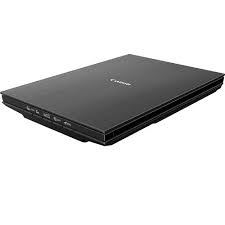
Download Driver Canon CanoScan Lide 400 for Windows
Compatibility Systems: Windows 11, Windows 10 (32bit), 10 (64bit), Windows 8.1 (32bit), 8.1 (64bit), Windows 7 (32bit), 7 (64bit)
| Driver Name | Version | Release date | File Size | Download Link |
| Full Driver and Software Package | 1.2 | 20 November 2024 | 19.05 MB | Download |
| CanoScan LiDE 400 Scanner Driver | 1.01 | 15 Oct, 2021 | 58.1 MB | Download |
CanoScan LiDE 400 Full Driver & Software Package: This file will download and install the drivers, application or manual you need to set up the full functionality of your product.
Download / Installation Procedures
IMPORTANT: Be sure to connect your PC to the Internet while performing the following:
- Download the file. For the location where the file is saved, check the computer settings.
- Double-click the downloaded .exe file. It will be decompressed and the Setup screen will be displayed. Follow the instructions to install the software and perform the necessary settings.
CanoScan LiDE 300 Scanner Driver: This file is a TWAIN-compliant scanner driver for Canon color image scanner.
You can install the following items of the software:
ScanGear: The TWAIN-compliant scanner driver for Canon color image scanner.
IJ Scan Utility: The software that allows you to easily scan photos, documents, etc.
Canon CanoScan Lide 400 Driver for Linux
Operating systems: Linux 32bit- Linux 64bit – Fedora 28(32bit/64bit) – Ubuntu 18.04(32bit/64bit)
| Driver Name | Version | Release date | File Size | Download Link |
| ScanGear MP for Linux (Source file) | 3.70 | Sep 21, 2018 | 345 KB | Download |