Canon imageCLASS D1150 Printer Driver Download for Windows 11-10-8.1-7 (32bit)
D1100 Series Driver – imageCLASS D1170/D1150/D1120 MFDrivers (UFR II / FAX / ScanGear) for Microsoft Windows
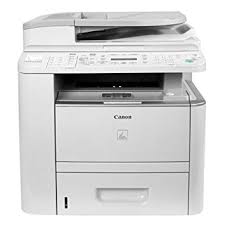
We reviewed the Canon imageCLASS D1150 photocopier for you. This device has the ability to laser print up to 30 pages per minute. Especially double-sided printing, photocopying, faxing and color scanning features are important.
It has up to 50-sheet DADF (Duplex Automatic Document Feeder), 500-sheet cassette and 50-sheet multi-purpose tray. These features are also suitable for intensive workflow.
Paper Legal size platen, up to 8.5″ X 14″. Built-in ethernet port for network printing and faxing from a computer to lighten your busy workload, and you can scan up to 9600 dpi in color with 600 dpi optical resolution. Additionally, 33.6 Kbps Super G3 will make your fax work easier.
Designed to be user-friendly, the D1150 also provides easy access to the control panel, consumables and paper tray from the front of the machine.
Canon imageCLASS D1150 MF Driver Download for Windows (32bit)
imageCLASS D1170/D1150/D1120 MFDrivers (UFR II / FAX / ScanGear): If you cannot scan over a network or with a USB connection in Windows 10/Windows 8.1/Windows 8, install the MF driver, restart (not shut down) your PC, and then install the following program. [Windows 32-bit] Patch for Network Scan, USB Scan (Windows 8/8.1/10)
File Name: D1170MFDriversV270W32usEN.exe
Post Date: October 14, 2016
Size: 25.61 MB
Compatibility Systems: Windows 10 (32bit), Windows 8.1 (32bit), Windows 8 (32bit), Windows 7 (32bit)
Driver Version : UFR II Printer Driver – V2.70, Fax Driver – V8.17 (D1170/D1150), ScanGear – V11.3
*Precaution When Using a USB Connection
Disconnect the USB cable that connects the device and computer before installing the driver.
Connect the USB cable after installing the driver.
Drivers and applications are compressed.
Download the file.
When clicking [Run] on the file download screen (file is not saved to disk)
1. If the User Account Control prompt is displayed, click [Yes], and then click [Run] on the subsequent Security Alert screen.
2. The Setup Wizard will start.
3. After the Setup Wizard has started, follow the instructions on the screen to perform installation.