Canon SELPHY CP820 Compact Photo Printer Driver for Mac OS X 10.10 and 10.9
SELPHY CP Printer Driver for Macintosh
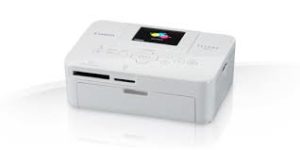
The simple and ultra-compact home photo printer that’s easy to use for all the family, offering lab quality photos anywhere in less than one minute.
Canon SELPHY CP820 Printer Driver for MAC
| Driver Name | Version | Release date | File Size | Operating systems | Download Link |
| SELPHY CP Printer Driver | 6.5 | 27 May 2015 | 2.0 MB | OS X 10.10 (Yosemite) | Download |
| SELPHY CP Printer Driver | 6.3.0 | 16 May 2014 | 2.1 MB | OS X 10.9 (Mavericks) | Download |
SELPHY CP Printer Driver: This printer driver is dedicated to a Mac OS X 10.10 environment. [SELPHY CP Printer Driver V6.5.0 for OS X Yosemite] is a printer driver dedicated to Canon Compact Photo Printer SELPHY. With this driver installed on your computer, you can print photos from your SELPHY with a variety of application software.
Please refer to the instructions below on how to download and install the software. Exit all other applications when installing this software.
- Download “cp800-810-820-900-910-1000-os-x-065-9l.dmg.gz” from the download page to the PC.
- Double-click the “cp800-810-820-900-910-1000-os-x-065-9l.dmg.gz” file. The file will be extracted to a file named “cp800-810-820-900-910-1000-os-x-065-9l.dmg”.
- Double-click the “cp800-810-820-900-910-1000-os-x-065-9l.dmg” file. A disk image named
“cp800-810-820-900-910-1000-os-x-065-9l” will be mounted to your computer. - In the “cp800-810-820-900-910-1000-os-x-065-9l”, double-click the setup file “SELPHY CP series Printer driver_6.5.0.0.pkg”.
- Follow the on-screen instructions to complete the installation.
Canon SELPHY CP820 Printer Driver for Windows
| Driver Name | Version | Release date | File Size | Operating systems | Download Link |
| CP820 Printer Driver | V5.1 | 21 June, 2016 | 2.0 MB | Windows10-10×64 | Download |